Radiant steel ceiling panels
Revision as of 13:38, 1 August 2017 by Hsadmin (talk | contribs) (→Prepare drawings for printing/export)
| Product | InstalSystem 5 |
| Type of article | SOFTWARE APPLICATION |
| Source for translation | IS 5.0 Beta 33 |
Range of lesson
This article describes designing heating systems with radiant ceiling panels.
Modules and program configuration
- InstalSystem 5 package with the following module:
- Radiant heating&cooling systems with ceiling/wall panels
Inital state
- Utworzona została struktura budynku (kondygnacje, hala/pomieszczenia).
For more information, see: Preparation of building structure. - Wczytany został rysunek z rzutem kondygnacji.
For more information, see: Import files. - Zostały uzupełnione wartości projektowego obciążenia cieplnego pomieszczeń dla ogrzewania według dostępnych metod:
- wskaźnikowo w W/m2
For more information, see: General data-Building and surroundings - ręcznie, osobno dla każdego pomieszczenia
- poprzez obliczenia szczegółowe
For more information, see: Calculation of design heat load of rooms
- wskaźnikowo w W/m2
Steps to perform
Load catalogues and set default data for the project
General data window
| Project files
|
Initial state, isproj System with radiant ceiling panels in a public building, isproj |
| Designed with | InstalSystem 5 Rev. Beta 33 |
| Required modules | InstalSystem basis Radiant heating system 5 Radiant panel systems 5 {{{module5}}} |
| Project range | Radiant heating |
| Used catalogues |
Basic radiant systems |
| Type of building | commercial building with basement 2-storey |
| Building structure | Ground floor base drawing, dwg First floor base drawing, dwg |
| Drawings range | Plan drawings |
| Prepared by |  www.instalsoft.com |
| Legal disclaimer | Copy all or fragments allowed |
| Calculation results | Complete range of calculation results, xls Complete range of available printouts, pdf Heating calculation results, pdf Bill of materials, pdf |
| Drawing results | Ground floor, dwg |
- Zakładka - Project scope - ustalić zakres projektu: Heating systems / Cooling systems.
- Zakładka - Storeys management – zweryfikować i uzupełnić podstawowe parametry:
- Storey height
- Default distance between ceiling and distribution pipe-runs to radiant panel system (ΔHpipe-run,pan.)
- Default distance between ceiling and radiant panels by entering the value in field (Thickness of false ceiling)
- Zakładka - Catalogues – wczytać katalogi produktów wymagane do projektu.
- Zakładka - Thermal systems / Sources – zweryfikować parametry: Default source use i temperaturę zasilania (θs,H).
- Zakładka - Thermal systems / Distribution system / Virtual connections of radiant systems - zaznaczyć opcję Allow system with no manifolds.
- Zakładka - Thermal systems / Distribution system / Rury i izolacje - typy i dane domyślne – uzupełnić domyślnie typ rur i izolacji, zweryfikować wartości temperatur w polach Default pipe-run surroundings temperature.
- Zakładka - Radiant systems / Panels – uzupełnić domyślne typy i wielkości promienników oraz skorygować wartości minimalnego (Δθ min) i maksymalnego (Δθ max) dopuszczalnego wychłodzenia czynnika. Z podanego przedziału program wyznaczy dla każdego promiennika optymalną wartość w celu uzyskania wymaganej mocy.
For more information, see: Dane ogólne
Edit installation - radiant ceiling panels
Insert radiant panels and edit graphically
Verify the arrangement of radiant panels, i.e. distances between panels, distances to top slab and external walls, with manufacturer's guidelines.
- Select Rad.-ceilings.
- Using the AUTO mode settings specify the desired distance between radiant panel and external wall.
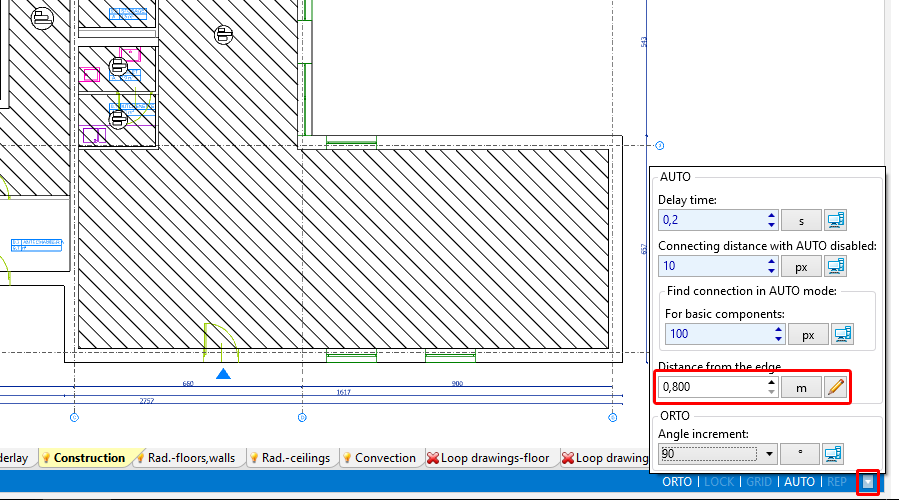
1. Radiant ceiling panel - Insert the radiant panel using the icon Ceiling panel in group Radiant
- Adjust the length of the radiant panel to the dimensions of the room by dragging terminal points of the panel and expanding it.
The length of the panel in the drawing does not have to correspond to the real length of a single panel. Based on the required length, the program will assemble a set of base panels and connection headers connected in series with its total length coresponding to the required length. - Insert subsequent radiant panels by clicking again the Ceiling panel icon or by copying panels already inserted. When necessary modify the settings of the AUTO mode.

Initial calculations - diagnostics of the heat demand coverage in room
- Run radiant heating calculations by clicking the
 icon in the Calculations group.
 - Verify the heat demand coverage in room in:
- oknie Diagnostics przeglądając listę ostrzeżeń
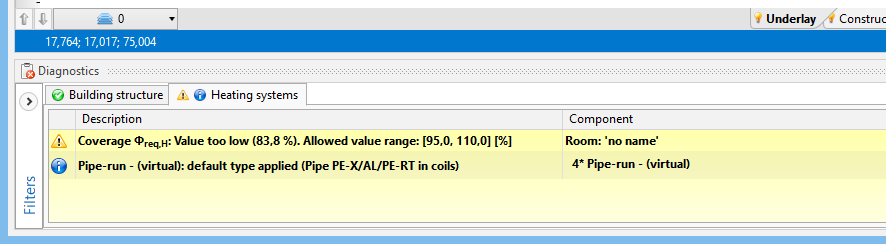
2. Weryfikacja pokrycia potrzeb cieplnych pomieszczenia w oknie Diagnostics - oknie Results na zakładkach - List of rooms - heating
- chmurce podpowiedzi wyświetlanej po ustawieniu kursora myszy w obszarze panelu
- oknie Diagnostics przeglądając listę ostrzeżeń


Modify data to adjust the attained output to the required output
- Adjust the following data and parameters:
- supply temperature in the general data of the source (θs,H).
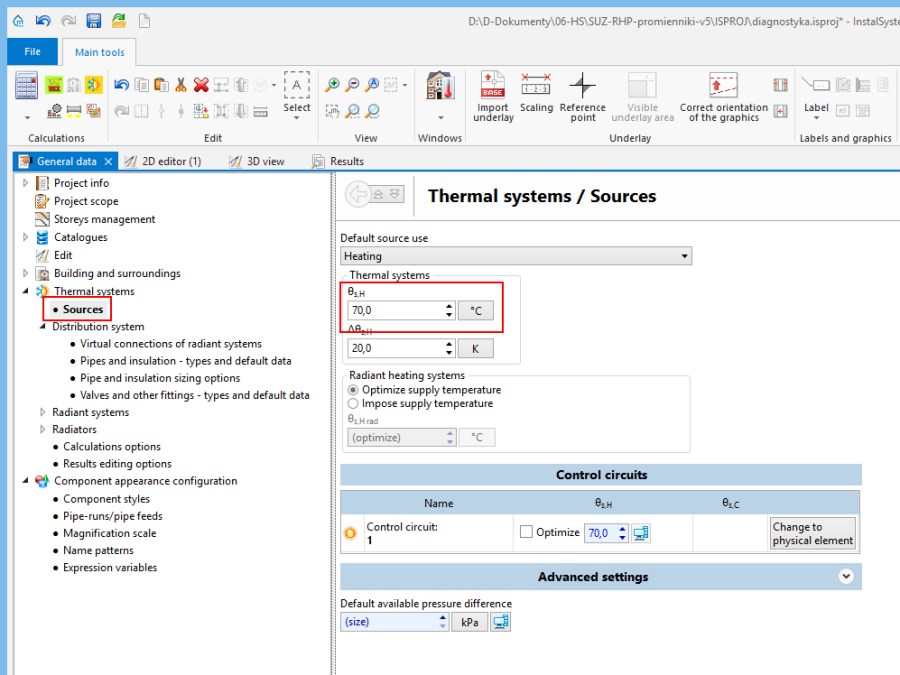
3. Korekta temperatury zasilania w General data - required drop of temperature of the medium in the radiant panel (Δθreq,H).
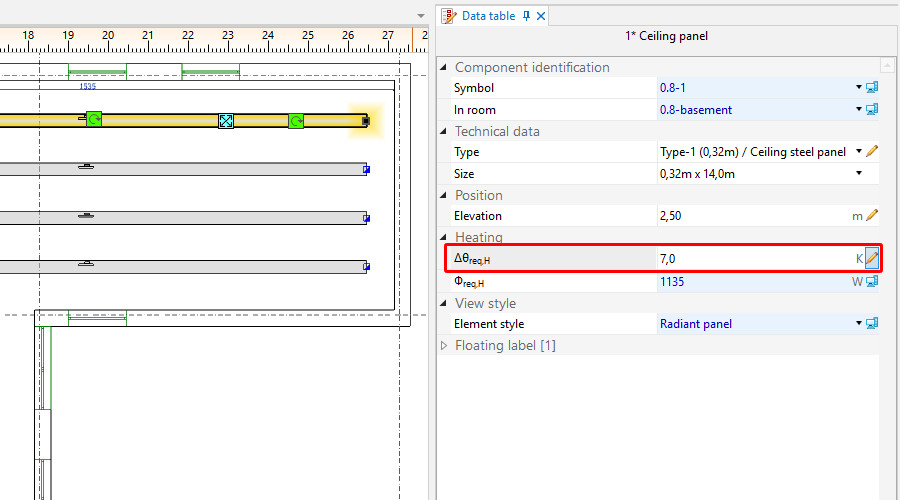
4. Correction of temperature drop of medium in radiant panel (Δθwym,H) - number/size of radiant panels
- supply temperature in the general data of the source (θs,H).
- Recalculate the project – verify the effect of the changes made on the attained heating output.


Edit installation - append drawings with the medium distribution system
- Upon attaining satisfactory results for the coverage of heat demand in rooms, insert the other components of the system (source, pipe-runs, fittings) and connect them to the radiant panels.
Make complete calculations including system balancing and bill of materials
- Make calculations for radiant heating by clicking the icon in the Calculations group.
- Verify the diagnostics and calculation results, in particular:
- Required source parameters - the Results window – Results Heating/General results heating tab
- Flow balance – the Results window – Circuits tab
- Bill of materials - the Results window – Bill of materials - heating / cooling tab
For more information, see: Calculations and diagnostics
Verify visually arrangement of the system in 3D view
- Open the 3D view window and check system arrangement. If necessary, modify the elevations of the components and positions of connection points. Recalculate the project if corrections were made.
For more information, see: Verification of the correctness of installation structure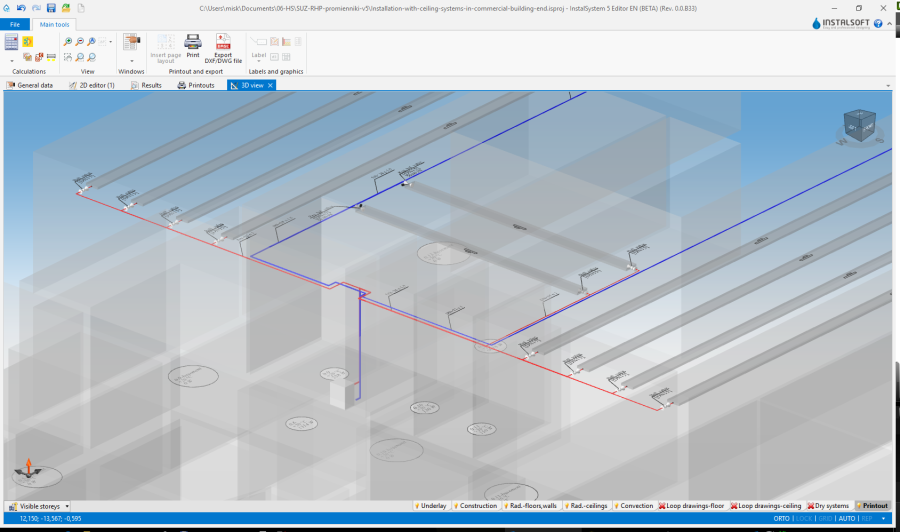
3. 3D view

Prepare drawings for printing/export
- Verify the drawing style of the panel in 2D and 3D views and the level of detail of information provided in the label. Configuration is given in the General data window.

- Insert and set labels of other system components (source, pipe-runs, fittings).
For more information, see: Preparation of drawings for export/printing
Eksport / wydruk wyników i rysunków
For more information, see: Export / print results and drawings