InstalSystem basis Radiant heating system 5 Radiant panel systems 5 {{{module5}}}
Project range
Radiant heating
Used catalogues
Basic radiant systems Neutr. ceiling and wall panels Brass, cast iron and steel fittings Copper pipes and fittings acc. to EN 1057 Miscellaneous fittings any manufacturer Standard insulation catalogue Neutral valves catalogue - typical design
Tab - Project scope - specify scope of project: Heating systems / Cooling systems.
Tab - Storeys management – verify and specify basic parameters:
Storey height
Default distance between ceiling and distribution pipe-runs to radiant panel system (ΔHpipe-run,pan.)
Default distance between ceiling and radiant panels by entering the value in field (Thickness of false ceiling)
Tab - Catalogues – load product catalogues required for the project.
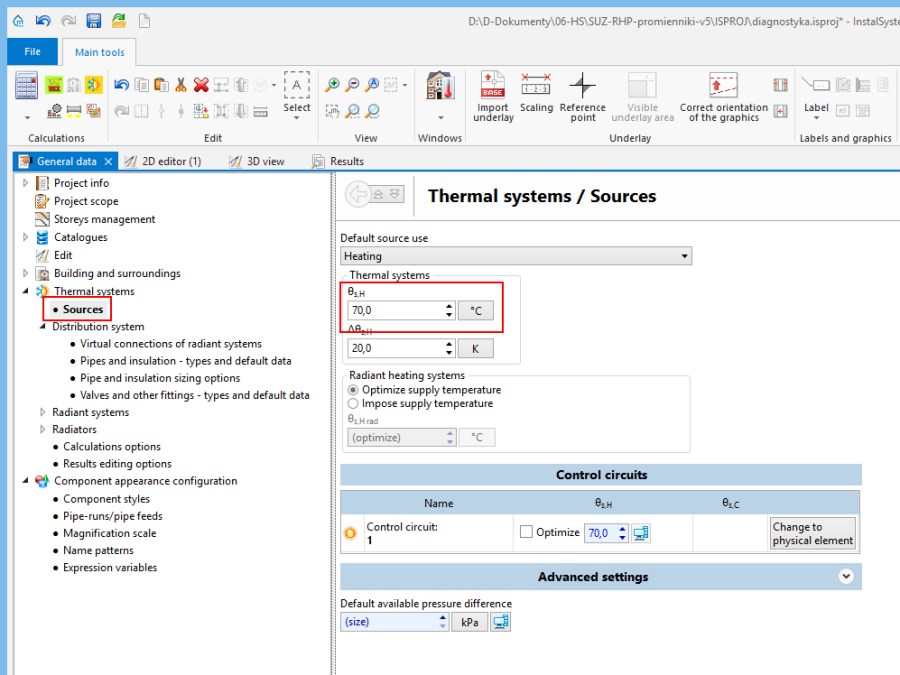
Tab - Thermal systems / Sources – verify parameters: Default source use and supply temperature (θs,H).
Tab - Thermal systems / Distribution system / Virtual connections of radiant systems - select option Allow system with no manifolds.
Tab - Thermal systems / Distribution system / Pipes and insulation - types and default data – specify default pipe and insulation types, verify temperatures in fields Default pipe-run surroundings temperature.
Tab - Radiant systems / Panels
Default ceiling panel type field - select the default ceiling panel type from the catalog
Default size (during insertion) field - select the default ceiling panel size from the catalog
Depending on how the ceiling panels are hanged select a suitable option in Panel laying field. After selecting either Parallel to floor or Parallel to ceiling fill in the corresponding value in Distance from floor (set in storey data) or Distance from ceiling field
In case of using in project ceiling panels, which are connected in series, select a Default pipe type for connecting panels in series from catalog
Specify default types and sizes of radiant panels and correct the minimum (Δθ min) and maximum (Δθ max) values of permissible temperature drop of the medium. Optimum value will be determined within the interval for every radiant panel in order to attain the required output. Entering the same values for both fields will result in imposing the temperature drop (e.g. at 20K level).
Verify the arrangement of radiant panels, i.e. distances between panels, distances to top slab and external walls, with manufacturer's guidelines.
Select Rad.-ceilings.
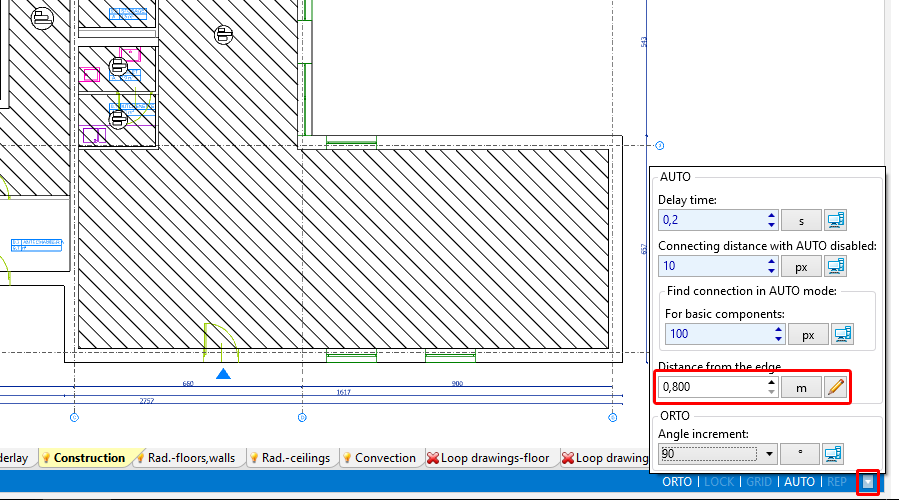
Using the AUTO mode settings specify the desired distance between radiant panel and external wall. 1. Radiant ceiling panel
Insert the radiant panel using the icon Ceiling panel in group Radiant
Adjust the length of the radiant panel to the dimensions of the room by dragging terminal points of the panel and expanding it. The length of the panel in the drawing does not have to correspond to the real length of a single panel. Based on the required length, the program will assemble a set of base panels and connection headers connected in series with its total length coresponding to the required length.
Insert subsequent radiant panels by clicking again the Ceiling panel icon or by copying panels already inserted. When necessary modify the settings of the AUTO mode.
Initial calculations - diagnostics of the heat demand coverage in room
Run radiant heating calculations by clicking the icon in the Calculations group.
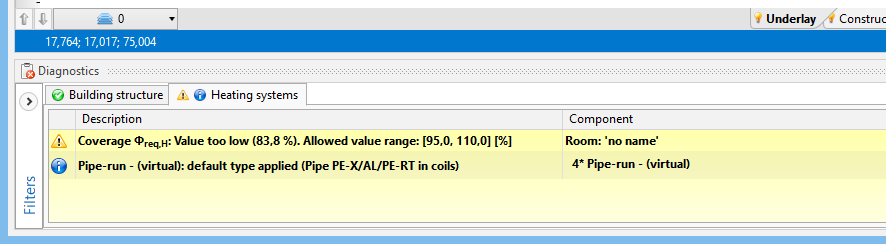
Verify the heat demand coverage in room in:
the Diagnostics window by viewing the list of warnings 2. Verification of heat demand coverage in room in the Diagnostics window
the Results window on tabs - List of rooms - heating
hint in bubble displayed upon positioning the cursor within the panel area
Modify data to adjust the attained output to the required output
Adjust the following data and parameters:
supply temperature in the general data of the source (θs,H). 3. Adjustment of supply temperature in General data
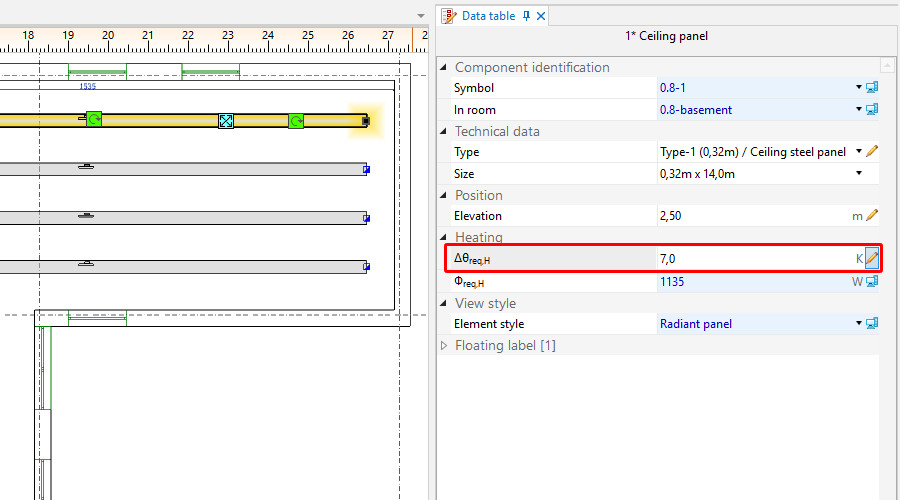
required drop of temperature of the medium in the radiant panel (Δθreq,H). 4. Adjustment of temperature drop of medium in radiant panel (Δθwym,H)
number/size of radiant panels
Recalculate the project – verify the effect of the changes made on the attained heating output.
Edit installation - append drawings with the medium distribution system
Upon attaining satisfactory results for the coverage of heat demand in rooms, insert the other components of the system (source, pipe-runs, fittings) and connect them to the radiant panels.
Make complete calculations including system balancing and bill of materials
Make calculations for radiant heating by clicking the icon in the Calculations group.
Verify the diagnostics and calculation results, in particular:
Bill of materials - Results window – Bill of materials - heating / cooling tab For more information, see:Calculations and diagnostics
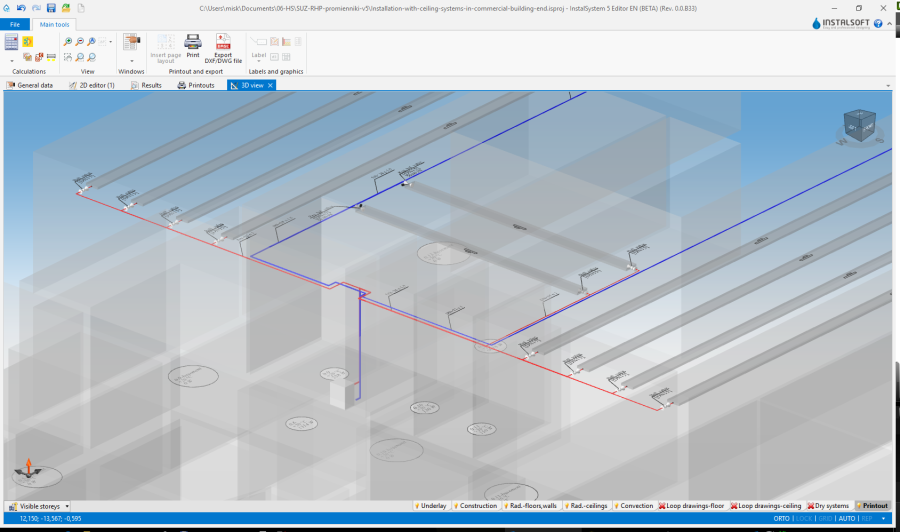
Verify visually arrangement of the system in 3D view
Open the 3D view window and check system arrangement. If necessary, modify the elevations of the components and positions of connection points. Recalculate the project if corrections were made. For more information, see:Verification of the correctness of installation structure 5. 3D view
Prepare drawings for printing/export
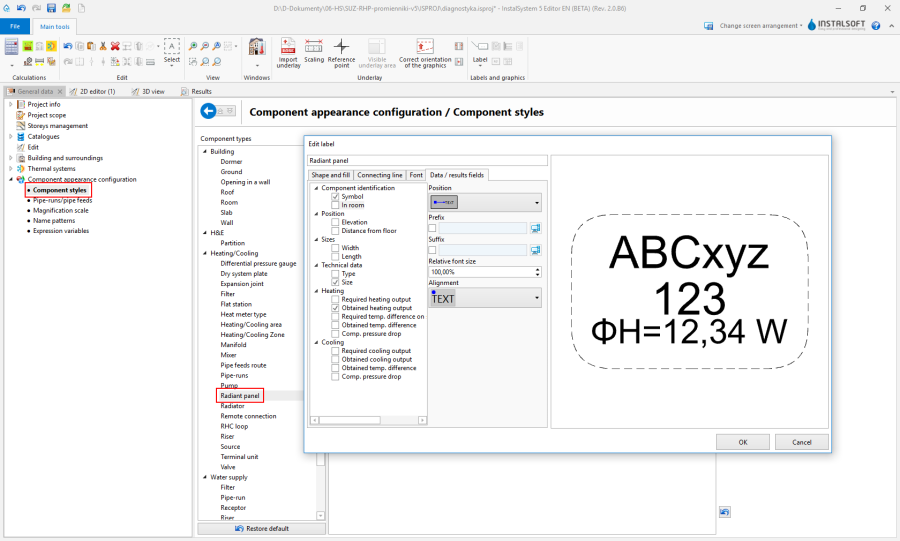
Verify the drawing style of the panel in 2D and 3D views and the level of detail of information provided in the label. Configuration is given in the General data window.


 icon in the Calculations group.