Calculation of design heat load of rooms
Revision as of 23:23, 11 June 2017 by Translator EN (talk | contribs) (→Verification of the correctness of building structure)
| Product | InstalSystem 5 |
| Type of article | SOFTWARE APPLICATION |
| Source for translation | BETA REV. 2.0.B4 |
Scope of lesson
The article presents the procedure for preparing data for calculating the design heat load of rooms with the use of standard packages.
Modules and program configuration
- InstalSystem 5 package with the module:
- Thermal calculations of building (Heat loss)
Inital state
The project includes building structure (storeys, building units, rooms, graphical partitions ), starting package of standards and definitions of partitions.
For more information, see: Preparation of building structure
Steps to perform
| Project files
|
Initial state, isproj Partition definitions, isproj Thermal calculations for multi-storey residential building, isproj |
| Designed with | InstalSystem 5 Rev. BETA REV. 2.0.B4 |
| Required modules | InstalSystem basis Heat loss {{{module5}}} |
| Project range | Thermal calculations of building |
| Used catalogues |
Climatic data: Poland |
| Type of building | commercial building with basement 2-storey |
| Building structure | |
| Drawings range | Plan view |
| Prepared by |  www.instalsoft.com |
| Legal disclaimer | The whole file or parts of the project may be copied |
| Calculation results | Full printout, xls Full printout, pdf |
| Drawing results |
Default data setting for the project
Calculation standards and options

Heat losses data
Data fields with red question marks will be appended automatically after first calculations, provided they are in Auto mode  .
.

Editing building structure data
- Cut out opening in slab for staircase between storeys 1 and 2.
Calculating building structure
For more information, see: Computation of building structure
Verification of the correctness of building structure
- Verify the correctness of storey and room locations within the Building structure editing scope.
For more information, see: Verification of the correctness of building structure - Verify graphically the correctness of creating thermal partitions within the H&E editing scope.
Thermal partitions are created, arranged and dimensioned based on physical partitions existing in the building structure. Identification of thermal partitions is effected during Computation of building structure . - Verify graphically the correctness of creating the component.
Edycja danych
Wyjaśnienie pojęć:
- Przegroda graficzna - element konstrukcyjny budynku typu ściana, strop, dach, okno, drzwi itp..
- Przegroda cieplna - element logiczny będący fragmentem przegrody fizycznej w obrębie pojedynczego pomieszczenia. Tworzona automatycznie, służy do wyliczenia i prezentacji straty ciepła przez przenikanie przez przegrodę na poziomie pojedynczego pomieszczenia.
Partition definitions
- Zaimportować Partition definitions z pliku.
- Utworzyć nowe Partition definitions.
Nowe Partition definitions tworzyć w zależności od wymagań definiując je jako Part. with specified U lub Part. with defined layers. - Przypisać Partition definitions do przegród cieplnych.
Przypisanie Partition definitions może się odbyć:- automatycznie - po zaznaczeniu odpowiedniej opcji dla przegrody (nazwa przegrody w liście przegród zostanie wytłuszczona), wymaga wywołania Computation of building structure ,
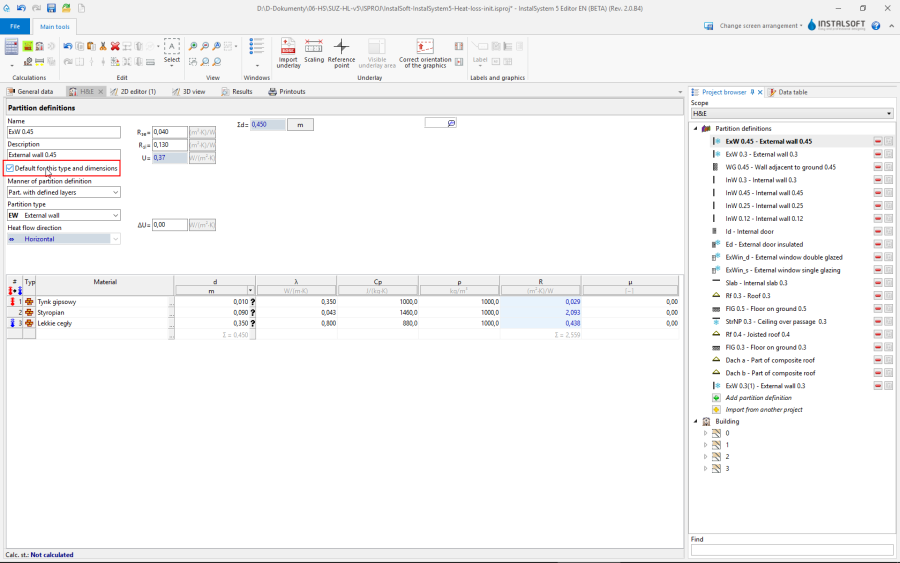
4.
Automatyczne przypisanie zakończy się sukcesem, jeśli pomiędzy definicją przegrody, a przegrodą cieplną zachodzi zgodność:
* grubości dla ścian, stropów i dachów,
* długości i wysokości dla okien i drzwi. - ręcznie.
- automatycznie - po zaznaczeniu odpowiedniej opcji dla przegrody (nazwa przegrody w liście przegród zostanie wytłuszczona), wymaga wywołania Computation of building structure ,

Thermal linear bridge
- Zweryfikować/skorygować dodatki na występowanie elementów Thermal linear bridge w zależności od wybranej metody ich obliczania w General data.
Building unit/Apartment
- Skorygować przypisania pomieszczeń do elementów Building unit/Apartment.
Można to zrobić w oknie Data table pomieszczenia lub poprzez funkcję chwyć i upuść w drzewie struktury budynku prezentowanym w oknie Project browser.
Room
- Skorygować typy Room: łazienki na obu kondygnacjach, hall, kuchnia.
- Zadeklarować pomieszczenia nieogrzewane: ganek wejściowy.
- Uzupełnić dane Ventilation for heat loss (V̇ex) dla: łazienek i kuchni.
- Zadeklarować przegrody ogrzewane - jeśli przegroda ma być zintegrowana z planowanym ogrzewaniem lub chłodzeniem powierzchniowym to należy zaznaczyć opcję Heated partition dla takiej przegrody.
- (opcjonalnie) Dodać tabelaryczne przegrody chłodzące, jeśli rzeczywista struktura budynku nie może być w pełni zamodelowana graficznie w programie.
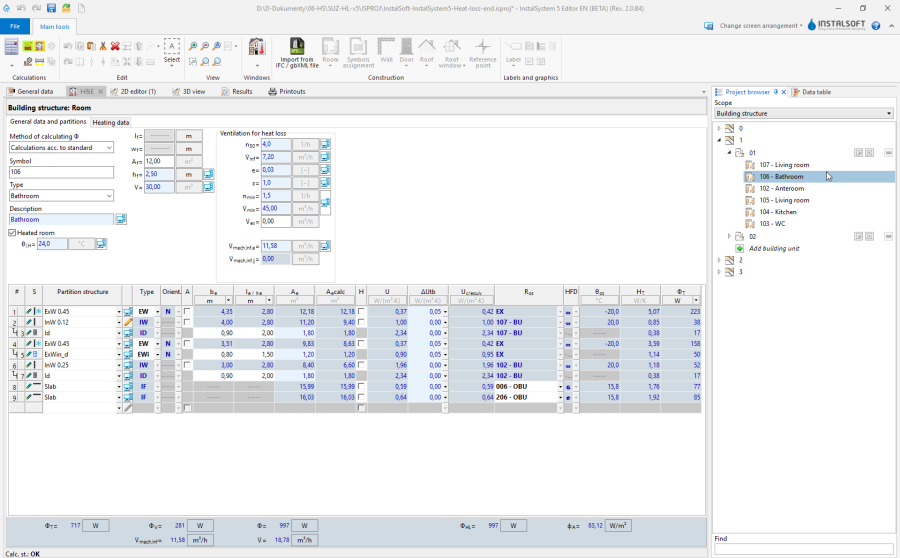
5. Edycja danych pomieszczenia

Calculations and diagnostics
- Wywołać obliczenia za pomocą ikony kalkulatora Thermal calculations of building
 znajdującej się w sekcji Calculations na pasku narzędzi
 - Zweryfikować wyniki obliczeń ze szczególnym uwzględnieniem:
- komunikatów błędów,
- wyników obliczeń pomieszczeń w oknie H&E,
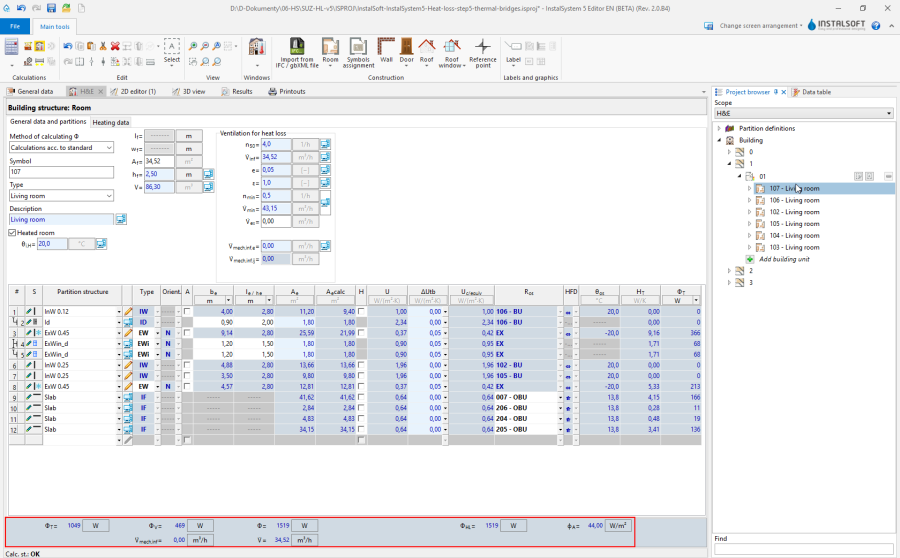
6. Wyniki obliczeń dla pomieszczeń - wyników obciążenia cieplnego Phi w etykietach pomieszczeń.
- (opcjonalnie) rozdzielić projektowe obciążenie cieplne pomieszczeń do innych pomieszczeń.


Prepare drawing for printing/export
For more information, see: Presentation of the calculations result