Preparation of building structure - Rooms layout
| Product | InstalSystem 5 |
| Type of article | FUNCTION AND TOOL |
| Source for translation | 2022-02-16 |
Description
Rooms layout consists of manually entered Room components which together with the storey data make up the building structure. Buikding structure design based on the rooms layout should be selected when:
- the room thermal load is determined on an indicative basis
- the user specifies the thermal load.
A design made using a building structure based on polyhedral cubicles (without the use of structural components such as walls, slabs or roofs) is a good way to significantly reduce working time when there is no need to make thermal load calculations based on standards.
Location in program
Storeys management
- Storeys management can be found in the General data window, section Building and surroundings.
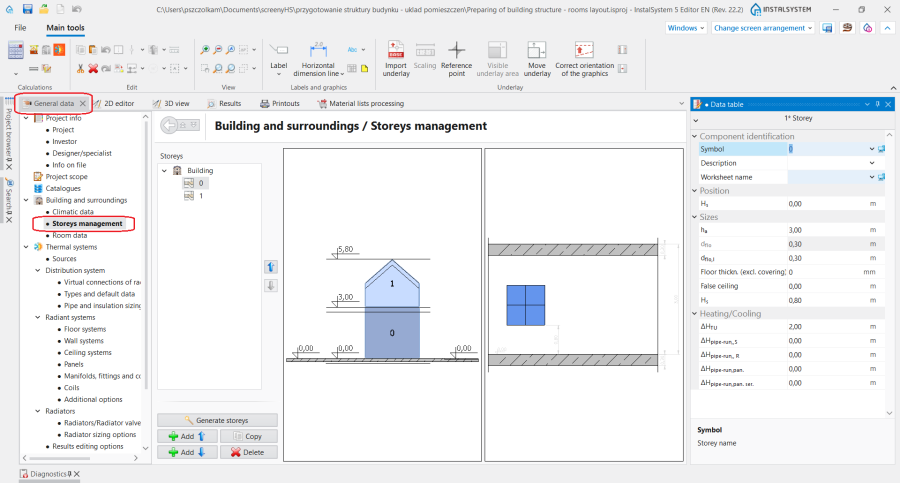
1. Storeys management.

Room data
- Room data can be found in the General data window, section Building and surroundings.
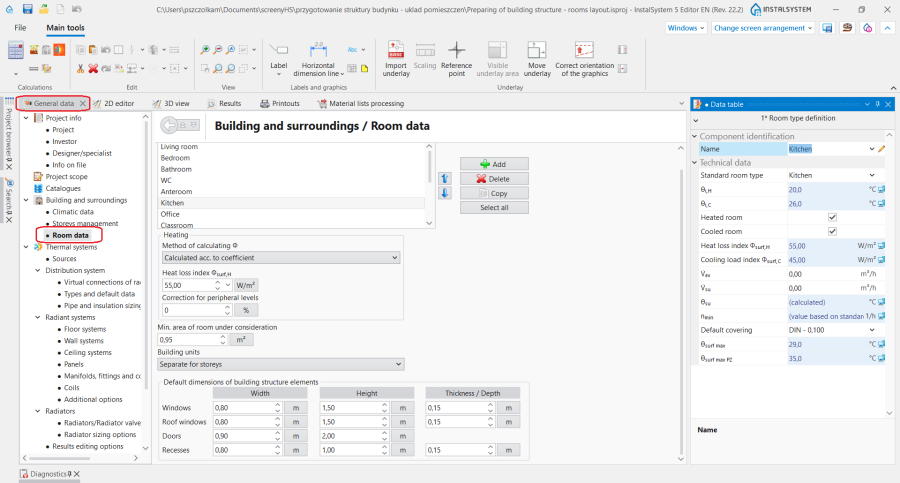
2. Room data.

Room
- The icon used for placing a Room is on the Main tools bar, section Construction, when the Construction scope is enabled.
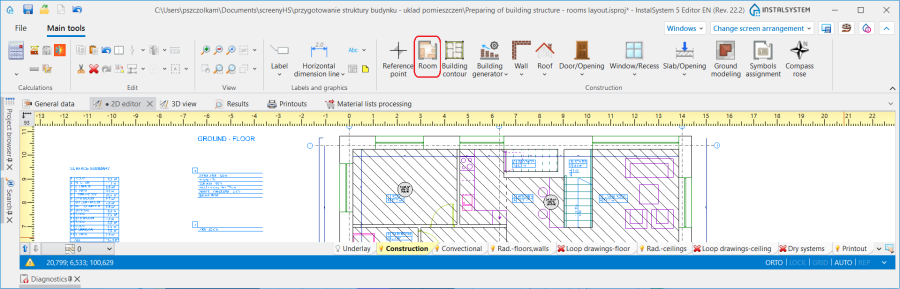
3. Room component.

Examples of use
Creating a storey
In the Storeys management section information on the building location can be entered:
- Average building depression
- Ground elevation
as well as the major Storey data:
- Position
- Storey elevation
- Storey height
- Upper slab thickness
- Lower slab thickness
For more information, see: Preparation of building structure - Storeys.
Underlay
Underlay jest dwuwymiarowym (płaskim) obiektem graficznym pobieranym z z zewnętrznego pliku rastrowego lub wektorowego. Underlay sam nie dostarcza elementów struktury budynku, ale umożliwia ich ręczne utworzenie zgodne ze stanem rzeczywistym.
For more information, see: Import underlay files.
Wstawianie elementu pomieszczenie
W programie istnieją dwie metody wstawiania elementu pomieszczenie do projektu:
- poprzez obrys zewnętrznych krawędzi pomieszczenia
- poprzez narysowanie jego przekątnej
For more information, see: Preparation of building structure - manual creation of rooms.
Wskazówki:
- W celu przyspieszenia pracy, przy wstawianiu wielu pomieszczeń do projektu warto jest włączyć funkcję REP (F5).
- Przy wstawianiu elementu Room poprzez narysowanie przekątnej należy wyłączyć funkcję ORTO.
Tworzenie pomieszczeń wielokondygnacyjnych
For more information, see: Preparation of building structure - Multi storey rooms.
Określanie danych elementu pomieszczenie
Room data
W sekcji Room data w oknie General data znajdują się najważniejsze Room parameters, które są propagowane do elementów wstawionych w projekcie. W tym miejscu określane są:
- Room type definition - wybór z listy pomieszczeń normowych lub zadeklarowanie własnego typu użytkownika.
- Method of calculating Φ dla zakresu Heating i Cooling (widoczność sekcji zależna jest od włączonych zakresów w projekcie).
- Wartości dla Heat loss index Φsurf,H / Cooling load index Φsurf,C w przypadku wybrania metody Method of calculating Φ: Calculated acc. to coefficient.
- Dla każdego typu pomieszczenia: Internal temperature in heating mode / Internal temperature in cooling mode i wiele innych parametrów, które mogą zostać zmienione przez użytkownika.

Edycja danych pomieszczenia w tabeli danych
Wszystkie dane w tabeli elementu Room w stanie AUTO (pola z ikoną komputera) propagowane są z General data. Każda z tych wielkości może być zmieniona ręcznie przez użytkownika po zmianie stanu ikony kalkulator na ołówek.
W kolejnych sekcjach tabeli danych zostały uporządkowane następujące parametry:
- sekcja Component identification:
- Symbol - Room number zgodnie z Pattern of manifold symbol, który został określony w oknie General data sekcja Component appearance and descriptions configuration
- Room type - wybór typu pomieszczenia wpływa na jego parametry propagowane do sekcji Heating, Cooling
- Building unit - w pole istnieje możliwość zmiany jednostki, do której jest przypisane Room
- sekcja Position - w sekcji możliwe jest przeniesienie pomieszczenia na inną kondygnację lub zadeklarowanie pomieszczenia wielokondygnacyjnego. For more information, see: Preparation of building structure - Multi storey rooms.
- From storey
- To storey
- Sekcja Sizes:
- Af - Room area within partition faces|Room area faces
- Floor thickness - w stanie AUTO wartość pobierana z pola o tej samej nazwie dla elementu Storey
- Thickness of false ceiling - w stanie AUTO wartość pobierana z pola o tej samej nazwie dla elementu Storey
W tabeli danych dostępne są również sekcje: Heating, Cooling, 2D/3D view style, Label.

Graficzna prezentacja układu pomieszczeń
Po zakończeniu edycji widok układu pomieszczeń prezentuje się w sposób pokazany na filmie:
For more information, see: View navigation in the graphical editor.
Numbering the rooms
For more information, see: Preparation of building structure - Numbering the rooms.
Przeglądanie utworzonej struktury budynku
Przeglądanie utworzonej struktury budynku jest możliwe zarówno w oknie 2D editor jak i 3D view. Pomocnymi funkcjami w nawigacji po strukturze budynku jest również Project browser oraz Search, których użycie zaprezentowano na filmie poniżej.
Konfiguracja stylu elementu
Styl elementu Room i styl jego etykiety mają własne miejsce w drzewie stylów.
For more information, see: Component appearance configuration.