The article presents the procedure for preparing data for calculating the design heat load of rooms with the use of standard packages.
Modules and program configuration
InstalSystem 5 package with the module:
Heat loss (Heat loss)
Inital state
The project includes building structure (storeys, building units, rooms, graphical partitions) and starting package of standards. Another project file contains definitions of partitions to be imported. For more information, see:Preparation of building structure
Data fields with red question marks will be appended automatically after first calculations, provided they are in Auto mode .
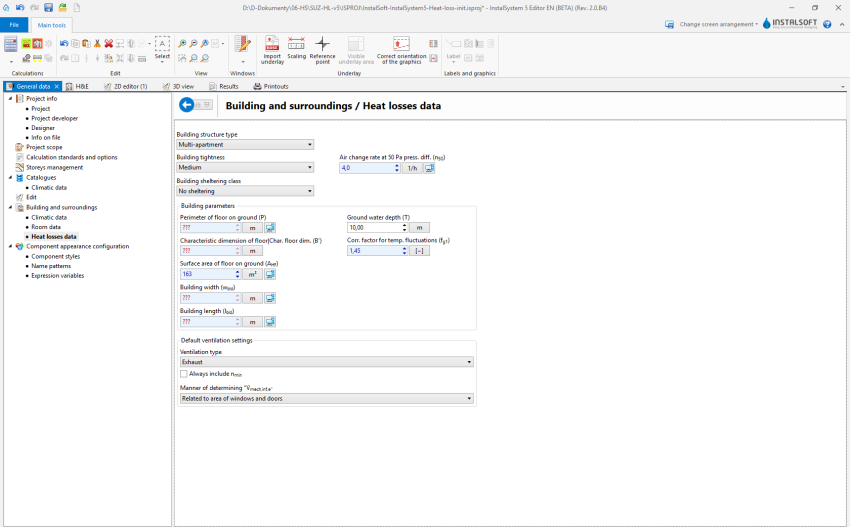
2. Heat losses data
Editing building structure data
Notion explanation:
graphical partition - element of the building structure, such as walls, ceiling, roof, window, door etc.
thermal partition - logical element being a fragment of a given graphical partition within a single soom. It is created automatically, and its purpose is to calculate and present heat loss based on partition transition in a single room.
Cut out opening in slab for staircase between storeys 1 and 2.
Verify graphically the correctness of creating thermal partitions within the H&E editing scope. Thermal partitions are created, arranged and dimensioned based on physical partitions existing in the building structure. Identification of thermal partitions is effected during Computation of building structure .
Verify graphically the correctness of creating the component.
Data editing
Partition definitions
Import Partition definitions from file.
Create new Partition definitions. Create new Partition definitions depending on requirements and define them as Part. with specified U or Part. with defined layers.
Assign Partition definitions to thermal partitions. Assignment of Partition definitions may be effected:
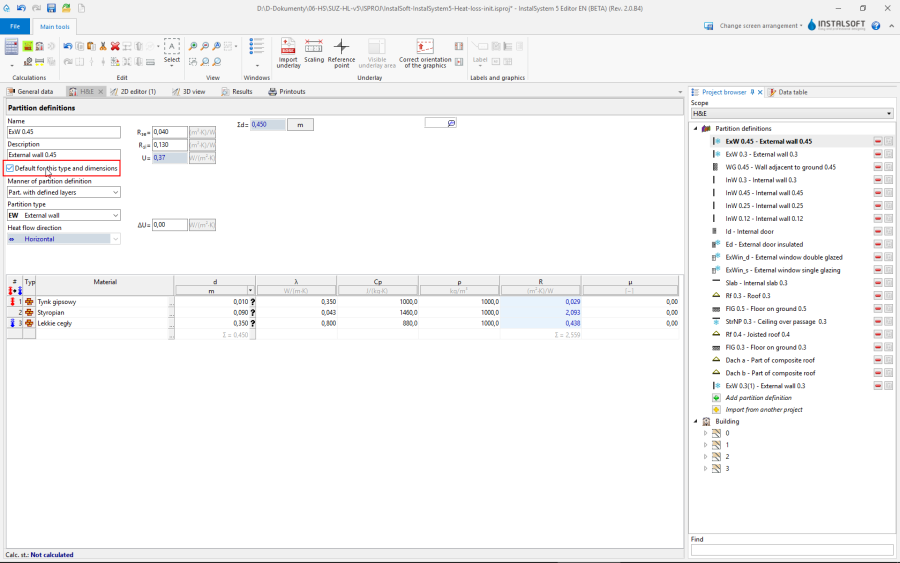
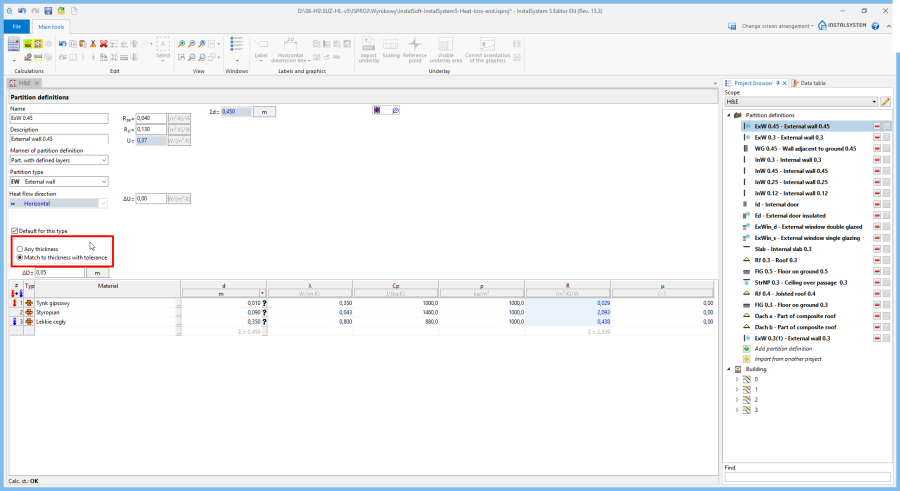
automatically - upon selecting appropriate Default for this type option for the partition (name of partition in the list of partitions is highlighted), requires calling Computation of building structure , 3. Default for this type
Automatic partition definition is defined according to the following criteria:
Any thickness - all graphic partitions of a given type, regardless of their thickness, shall have this definition (default option for partition definition: Partition with specified U),
Match to thickness with tolerance - all graphic partitions of a given type, with Thickness of partition indicated, and with tolerance in Tolerance relative to thickness of graphical partition, ± shall have thi definition (default option for partition definition: Part. with defined layers and Non-uniform part.). The aforementioned criteria regard walls, ceilings and windows; windows and doors are covered by the Default for this type general option. 4. Any thickness
manually.
Thermal linear bridge
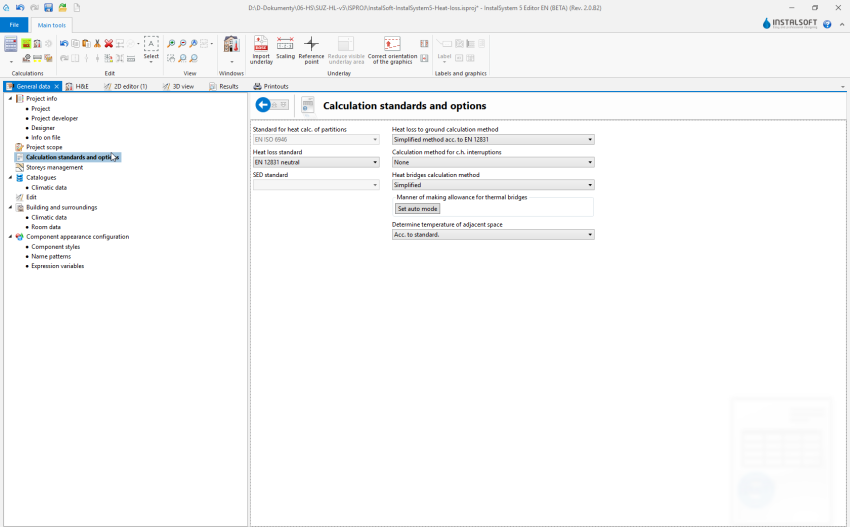
Verify/correct add-ons for the presence of components Thermal linear bridge depending on the calculation method selected in General data.
Building unit/Apartment
Correct assignment of rooms to components Building unit/Apartment. This may be done in the Data table window of room or using the "drag and drop" function in the building structure tree in the Project browser window.
Room
Correct the Room types: bathrooms on both storteys, lounge, kitchen.
Specify unheated rooms: entrance porch.
Append Ventilation for heat loss data (V̇ex) for: bathroom and kitchen.
Specify heated partitions - if the partition is to be integrated with planned surface heating or cooling, then select the Heated partition option for such partition.
(optional) Add tables of cooling partitions if the actual building structure can be modelled graphically in the program. 5. Room data editing
Calculations and diagnostics
Launch calculations by clicking the calculator icon Thermal calculations of building in the Calculations section of the toolbar.
Verify calculation results, paying attention to:
error messages,
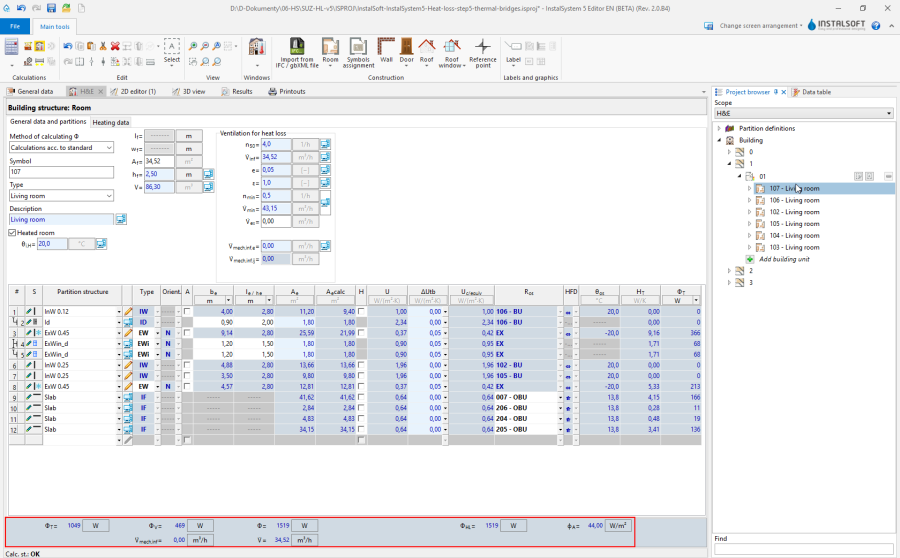
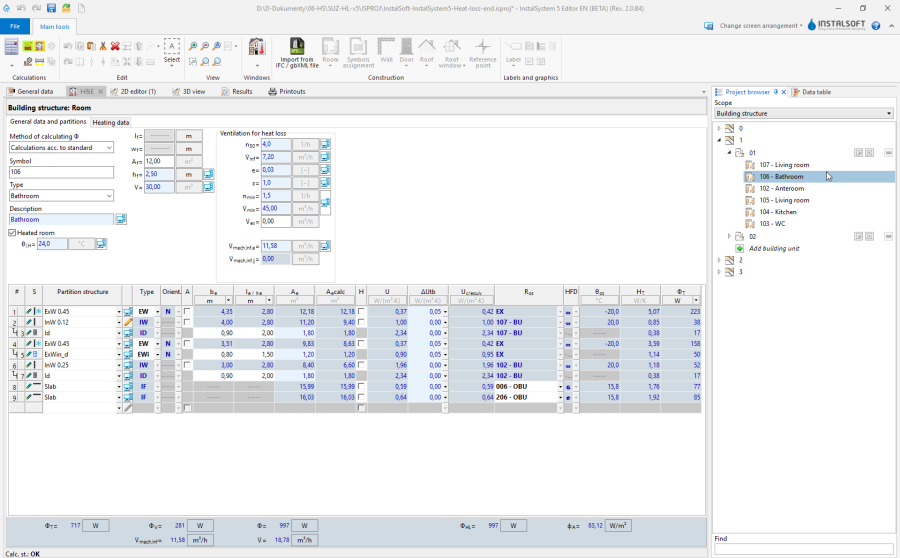
room calculation results in the H&E window, 6. Calculation results for rooms
results of heat load Phi in room labels.
(optional) distribute design heat load of rooms among other rooms.


 .
.



 in the Calculations section of the toolbar.