Preparation of building structure - Roof modeling: Difference between revisions
| Line 27: | Line 27: | ||
==Location in the program== | ==Location in the program== | ||
=== | ===Building structure=== | ||
* | * Icons of the components and functions related to the building structure are accessible in the ''2D Editor'' window on the ''<IS_TS id=NarzedziaGlowne/>'' bar, section ''<IS_TS id=lystrFloors/>'' when ''<IS_TS id=lystrFloors/>'' editing is enabled.<br/>[[File:TB-construction-location-2.png|900 px|left|thumb|3. Building structure elements]]<br clear="all"/> | ||
===Obliczenia struktury budynku=== | ===Obliczenia struktury budynku=== | ||
* ''<IS_TS id=BuildingStructureCalculation/>'' dostępne są na pasku ''<IS_TS id=NarzedziaGlowne/>'' w sekcji ''<IS_TS id=sObliczenie/>''.<br/>[[File:TB-build-calculations-location.PNG|900 px|left|thumb|4. ''<IS_TS id=BuildingStructureCalculation/>'']]<br clear="all"/> | * ''<IS_TS id=BuildingStructureCalculation/>'' dostępne są na pasku ''<IS_TS id=NarzedziaGlowne/>'' w sekcji ''<IS_TS id=sObliczenie/>''.<br/>[[File:TB-build-calculations-location.PNG|900 px|left|thumb|4. ''<IS_TS id=BuildingStructureCalculation/>'']]<br clear="all"/> | ||
Revision as of 00:45, 12 August 2017
| Product | InstalSystem 5 |
| Type of article | FUNCTIONALITY |
| Source for translation | IS 5.0 BETA Rev. 2.0.B6 |
Description
This article describes how various roof structures cab be prepared. The roof structure comprises:
- Roof,
- Add roof edge,
- Dormer,
- Roof window.
In order to view the effects of changes made during editing it is necessary to invoke Computation of building structure .
For more information, see: Preparation of building structure
Location in the program
Building structure
- Icons of the components and functions related to the building structure are accessible in the 2D Editor window on the Main tools bar, section Construction when Construction editing is enabled.
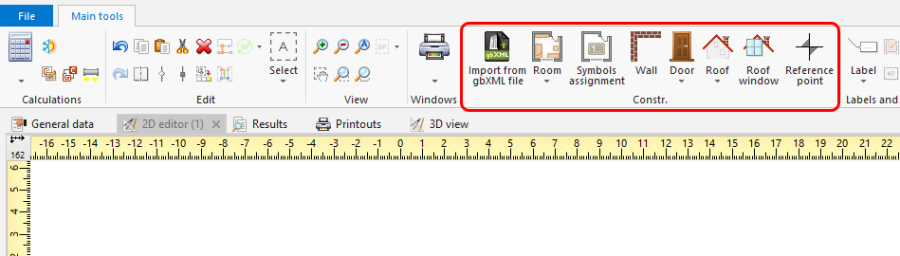
3. Building structure elements

Obliczenia struktury budynku
- Computation of building structure dostępne są na pasku Main tools w sekcji Calculations.
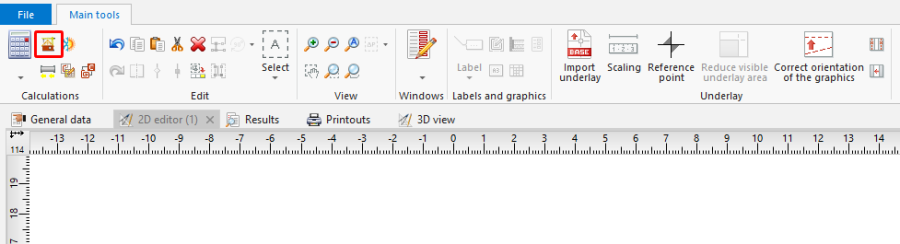
4. Computation of building structure

Example of use
1. Utworzyć obrys połaci dachowej z wykorzystaniem elementu: Roof. Następnie narysować krawędzie dachu poprzez operację: Add roof edge oraz nadać zidentyfikowanym punktom charakterystycznym dachu odpowiednie rzędne.
Linie tworzące podział dachu można usunąć poprzez kliknięcie na  .
.
Czerwony kolor linii podziału dachu oznacza, że program nie może zrealizować podziału i należy skorygować rzędne punktów lub przebieg linii podziału.
- dach jednospadowy,
- dach dwuspadowy,
- dach czterospadowy,
- dach naczółkowy,
- dach mansardowy.
- dach o krzyżujących się połaciach.
2. Utworzyć dach z lukarną z wykorzystaniem elementu: Dormer:
- dach z lukarną jednospadową,
- dach z lukarną wielospadową.