How to eliminate: "Incorrect building contour"
Jump to navigation
Jump to search
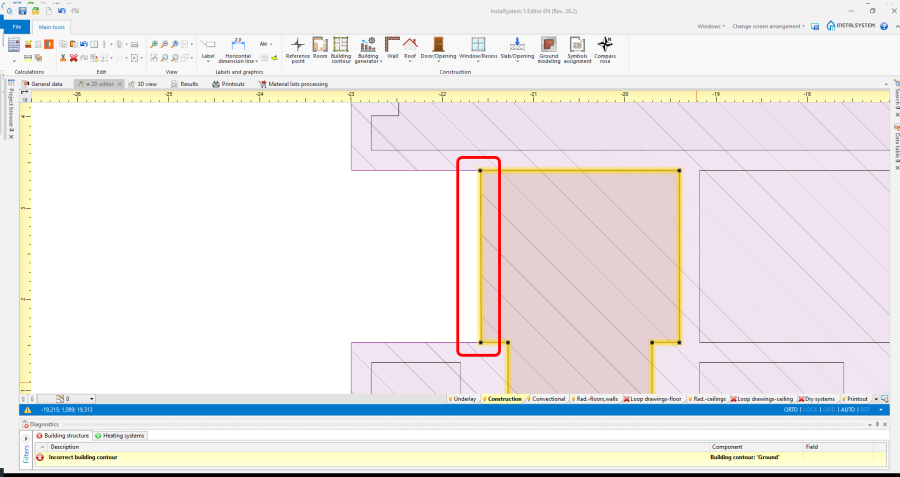
1. Building contour and Room touch each other with contours 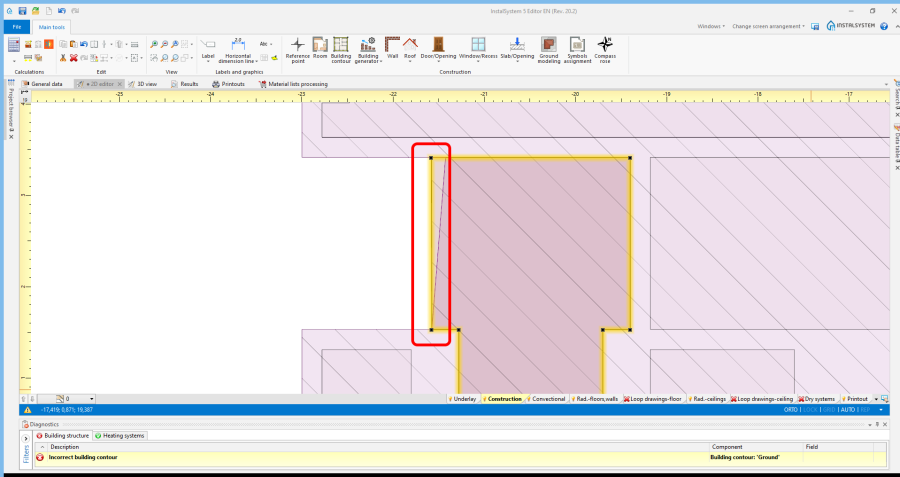
2. Building contour and Room overlap with contours 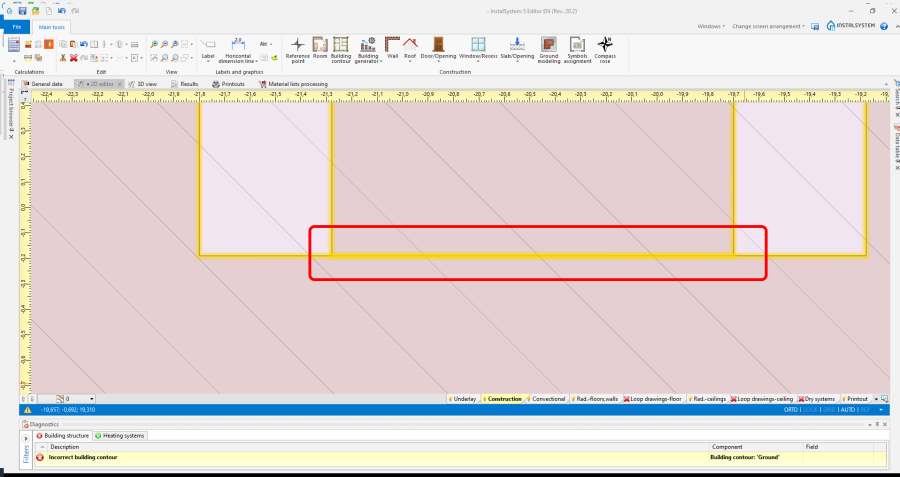
3. Room touch each other with contours 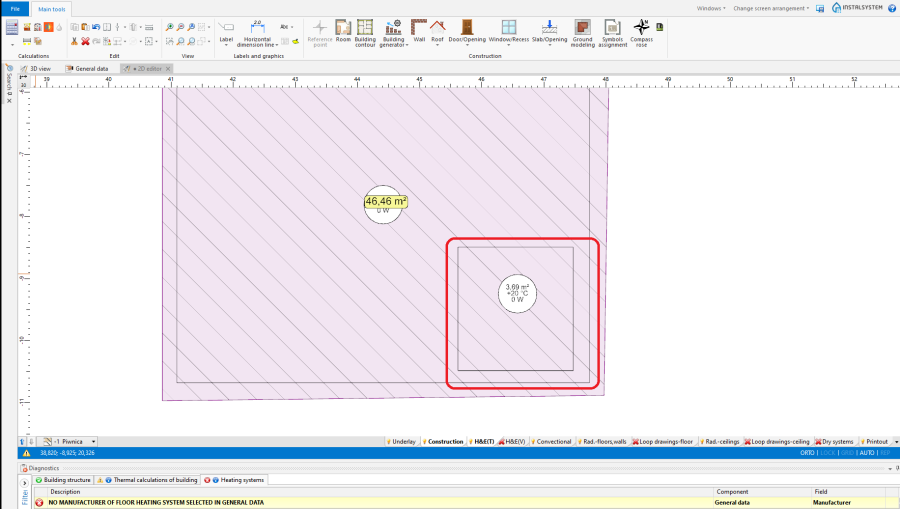
4. Room overlap with surfaces 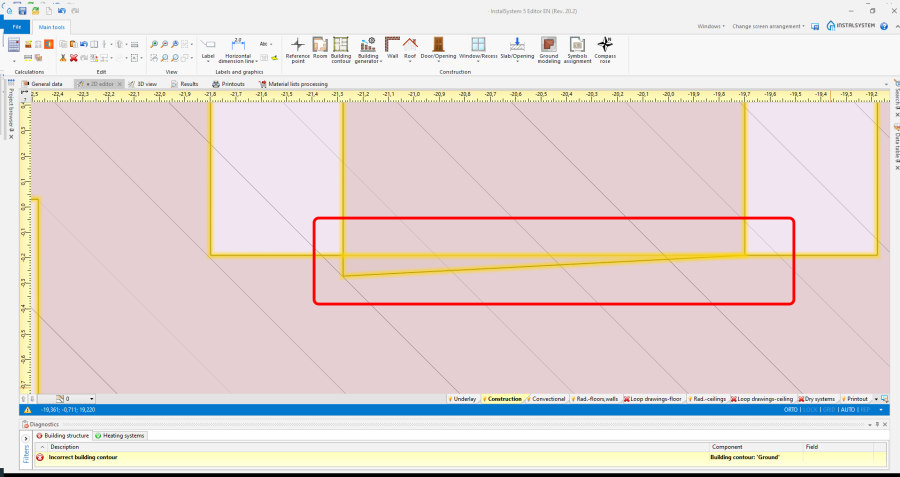
5. Room overlap with contours 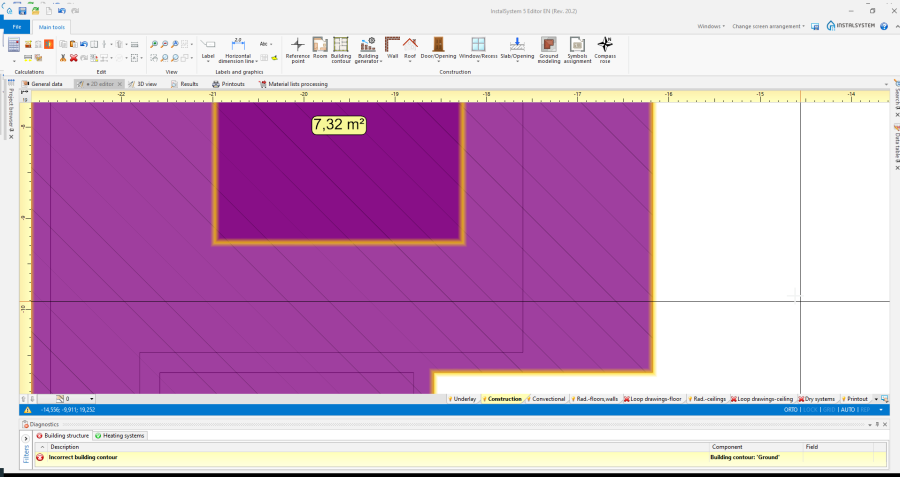
6. Building contour elements are placed one in the other 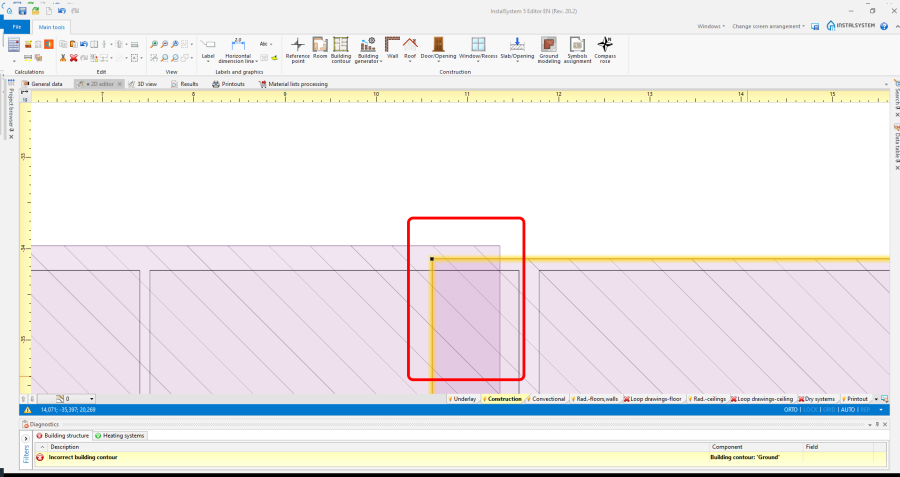
7. Building contour overlap with contours
| Product | InstalSystem 5 |
| Type of article | TIP&TRICK |
| Source for translation | 2021-04-30 |
Problem description
Problems are diagnosed by the program by means of message:
Incorrect building contour.
The message informs that because:
- Building contour and Room touch each other with contours,
- Building contour and Room overlap with contours,
- Room touch each other with contours,
- Room overlap with surfaces,
- Room overlap with contours,
- Building contour elements are placed one in the other.
- Building contour overlap with contours.
Solution
- Change the shape or placement of elements Building contour and\or Room' to eliminate the situations shown in the screenshots below.


