Preparation of building structure
| Product | InstalSystem 5 |
| Type of article | FUNCTIONALITY |
| Source for translation | IS 5.0 Beta 33 |
Description
The article describes how building structure can be prepared and how the created structure can be verified. There are several ways the building structure can be prepared for a project. The choice of the method depends on what source data on the structure and storey plans are available and on the scope of the design to be made. If the scope of the design does not include calculation of heat losses according to standards, then rooms can be represented in the plans as polygons with no cooling partitions. Each storey constitutes a separate plan drawing sheet.
Location in program
Storeys management
- Storeys management is available in the General data window.
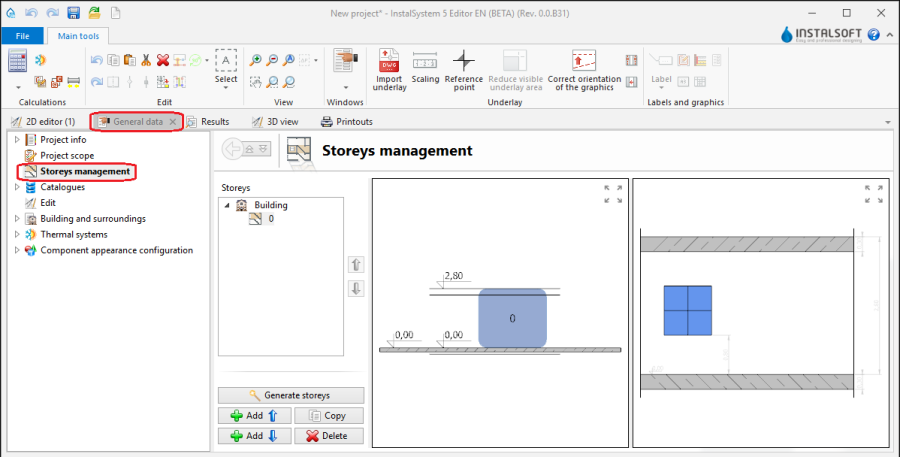
1. Storeys management

Import underlay
- Icons of components and functions related to importing underlays (base drawings) are available in the 2D Editor window on the Main tools bar in the Underlay section when the Underlay editing scope is enabled.
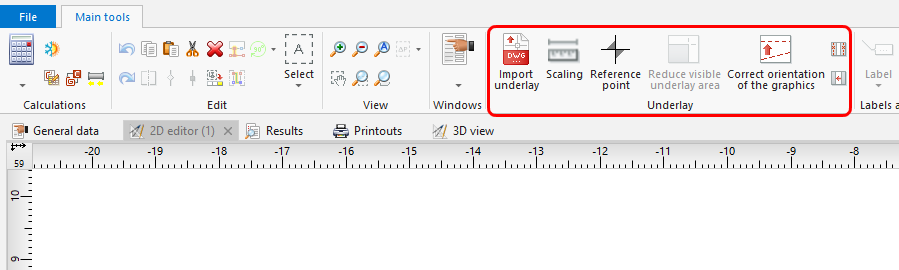
2. Import underlay

Building structure
- Icons of components and functions related to the building structure are available in the 2D Editor window on the Main tools bar in the Construction section when the Construction editing scope is enabled.
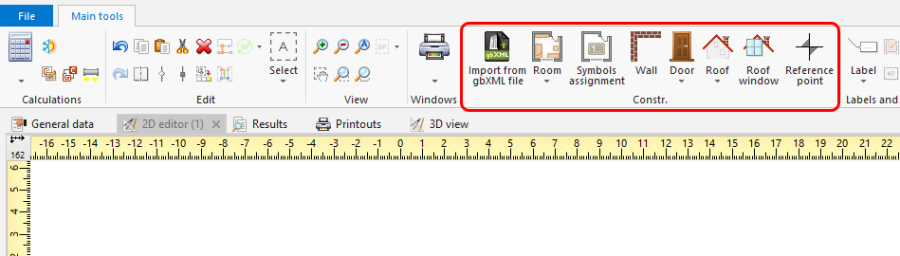
3. Building structure components

Przykłady użycia
Ręczne tworzenie struktury budynku
Kondygnacje
- Utworzyć wymagane kondygnacje i uzupełnić ich dane. Film prezentuje utworzenie dwóch ciągów kondygnacji.
Podkład
Podkład jest dwuwymiarowym (płaskim) obiektem graficznym pobieranym z z zewnętrznego pliku rastrowego lub wektorowego. Podkład sam nie dostarcza elementów struktury budynku, ale umożliwia ich ręczne utworzenie zgodne ze stanem rzeczywistym.
For more information, see: Import files
Room - ręczne tworzenie pomieszczeń
- Utworzyć ręcznie Room przez obrys
lub narysowanie przekątnej. Tworząc pomieszczenie poprzez wrysowanie przekątnej wyłączyć tryb pracy ORTO. Po wrysowaniu przekątnej zakończyć edycję prawym przyciskiem myszy.
Room - rozpoznawanie w obszarze zamkniętym narysowanymi przegrodami
- Wstawić ciąg elementów Wall, ustawiając na początku w Data table grubość ściany i prowadząc mysz wzdłuż wewnętrznych krawędzi ścian na podkładzie. Dla podkładów z pliku DWG wykorzystać przyciąganie do wskazanej na podkładzie warstwy. Po wstawieniu Ścian zewnętrznych w podobny sposób wstawiamy Ściany wewnętrzne.
- Wstawić elementy: Window, Door, Opening in wall, Recess.
- Wstawić elementy: Slab. Obrys jednej kondygnacji standardowo zamykany jest tylko jedną płytą stropową.
- Wstawić elementy: Roof.
- Wykonać funkcję Identify rooms basing on their walls
Import gotowej struktury budynku
Import struktury budynku z formatu zgodnego z BIM (gbXML)
For more information, see: Import files
Import struktury budynku z pliku projektu programu InstalSystem 4 (ISB)
Brakujące lub niepoprawne elementy tak uzyskanej struktury budynku, o ile są niezbędne, skorygować lub uzupełnić ręcznie metodami opisanymi powyżej.
Weryfikacja poprawności struktury budynku
Weryfikacja przy użyciu okna 3D view
For more information, see: View navigation in the graphical editor