How to make the program run faster

From HelpSystem
Revision as of 16:20, 22 November 2019 by Wyleciolr (talk | contribs)

Jump to navigation Jump to search
Product InstalSystem 5
Type of article TYPICAL PROBLEM
Source for translation GOLD Rev. 17.0


Problem description

InstalSystem version 5 requires hardware of relatively high computing performance. The software tends to be slower on lower end machines. This is particularly apparent when large files are processed or when other applications run simultaneously. The scale of the problem also depends on the program functions and windows used.

A particular case in which the program may slow down is usage of complex DWG underlays containing a great number of layers and/or a lot of elements, and/or with large drawing dimensions.

Solution

General recommendations

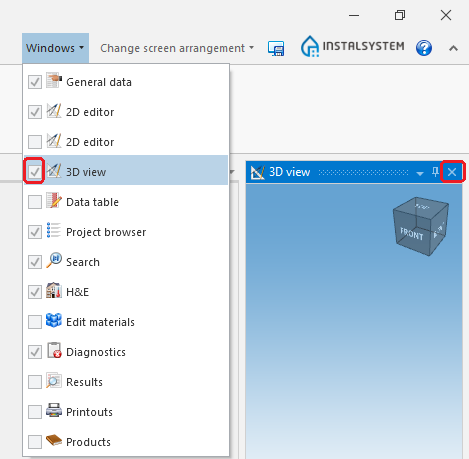
  • Close all windows that are not needed (particularly the resource-intensive module 3D view).
    1. 3D Editor

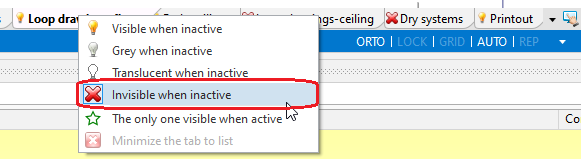
  • Hide editing scopes that are not used.
    2.Hide edit scopes.

  • Exit all applications and services running in the background that are not used at the moment.
  • Verify that the computer meets Hardware requirements.

Rozbudowane podkłady DWG

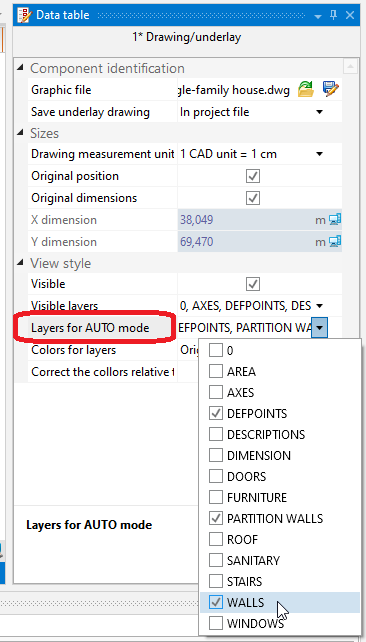
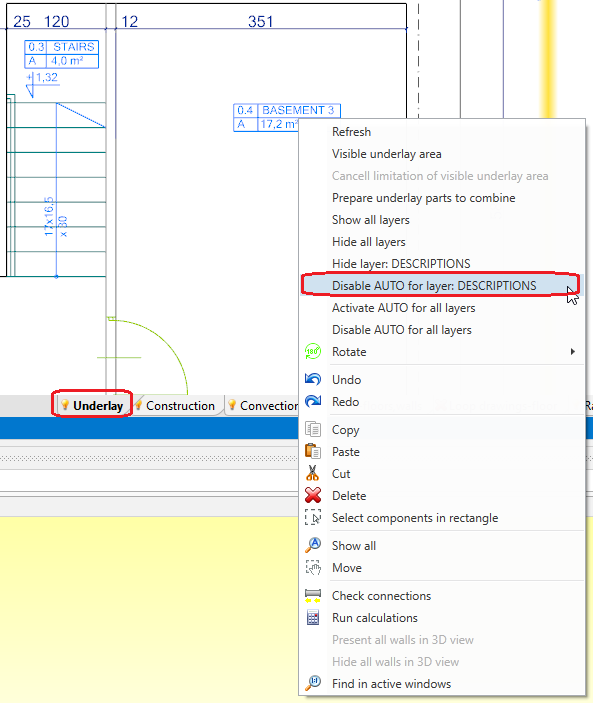
Po zaznaczeniu pliku DWG (na zakresie edycji Underlay) dla warstwy dla której tryb AUTO nie powinien działać należy:

  • odznaczyć w polu Layers for AUTO mode odpowiednią pozycję lub
    3. Layers for AUTO mode

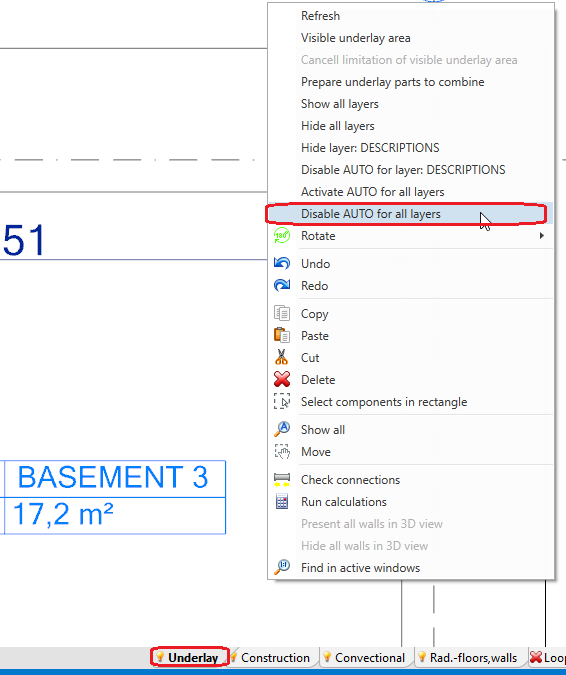
  • kliknąć prawym przyciskiem myszy na element podkładu i wybrać polecenie Disable AUTO for layer: %s.
    4. Disable AUTO for layer: %s

Tym samym sposobem można wybrać polecenie Disable AUTO for all layers.

5. Disable AUTO for all layers