Connecting storeys with the Riser (Stack) element: Difference between revisions
Klintsevicho (talk | contribs) m (Klintsevicho moved page Connecting storeys with the "Stack" element to Connecting storeys with the "Riser" ("Stack") element) |
Klintsevicho (talk | contribs) m (Klintsevicho moved page Connecting storeys with the "Riser" ("Stack") element to Connecting storeys with the Riser (Stack) element) |
(No difference)
| |
Revision as of 13:40, 5 January 2023
| Product | InstalSystem 5 |
| Type of article | FUNCTION AND TOOL |
| Source for translation | 2023-01-04 |
DESCRIPTION
The Riser component (Stack for Sanitary drainage systems) enables connecting fragments of a system arranged on several plan sheets, each of which represents a separate storey. This allows making calculations of systems in multistorey buildings. The elevations of riser connections on the individual storeys are determined from the elevations of conduits. The effect of applying the Riser and connection points can be checked using the 3D view.
LOCATION IN THE PROGRAM
Riser icons are located in the 2D Editor window on the Main tools toolbar:
- section Convectional for Convection heating and cooling systems (with no radiant components) and section Rad.-floors,walls for Floor and wall heating and cooling systems
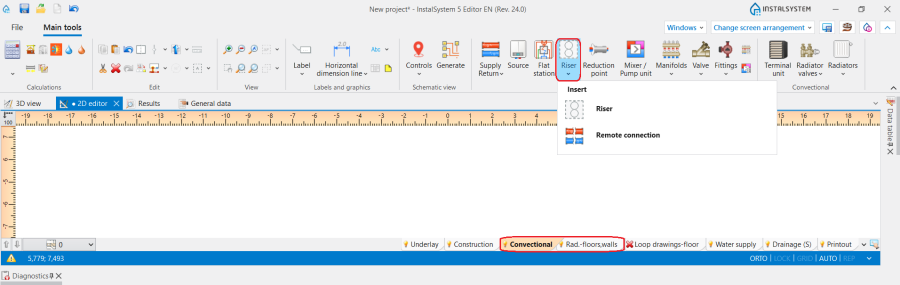
1. Insert Riser for convectional and radiant systems. - section Water supply for Water supply systems
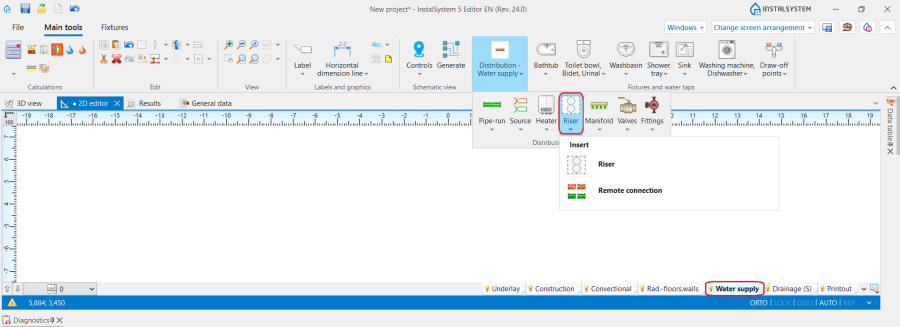
2. Insert Riser for Water supply systems. - section Drainage (S) for Sanitary drainage systems
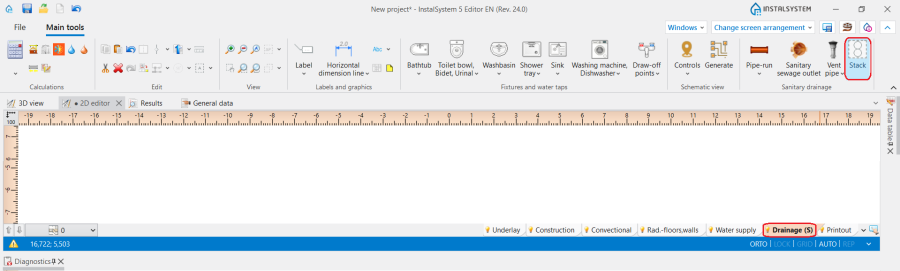
3. Insert Stack for Sanitary drainage systems.


EXAMPLE OF USE
Inserting a riser that runs through several storeys
- Insert Riser into one of the plan drawings.
- Enter the symbol in the Data table and select the starting and terminal storeys.
- Make connections to the riser on all storeys using Pipe-run.
Creation of Drainage stacks with deviation
In practice, it can often happen that Drainage stacks are deviated across different storeys and are not located directly above each other. For such cases the following steps should be carried out:
- Place the Stack element on the drawing;
- Specify the Position for each. It is recommended that the "upstairs" and "downstairs" stacks have a common storey in their ranges. In this case, the connection will automatically be created on this storey;
- For the upper Stack (usually the highest Stack in the line), the type of Element on top of stack should be specified, e.g. Vent pipe or Air admittance valve;
- For the lower Stack (in general for all but the uppermost Stack), specify Element on top of stack as Connection to the stack above and then select from the data field Connect to the stack having symbol the riser symbol from the list (upper part of the stack ) to which the connection is to be created.
Optionally the following values can be adjusted:
the Offset angle (Angle of offset from vertical direction) at which the connector is to be led out (offset) and the Distance from ceiling of the conn. to stack above for the lower plumb line, the point (underneath the upper perpendicular) from which the connection will be lead out. - After checking the connections, assess the effect in the 3D view and adjust the above data if necessary.
All parts of the Stack can be assigned with the same symbol. When carrying out the above steps, it may be difficult to identify the connected Stack, so different symbols can be used during creation, but once the whole has been correctly generated, the symbols can be unified.