Export / print results and drawings: Difference between revisions
Jump to navigation
Jump to search
No edit summary |
No edit summary |
||
| Line 10: | Line 10: | ||
|c3 =<!--Jest kategoria -> zamienić na: "category3=" i uzupełnić link do sekcji kategorii na stronie głównej produktu--> | |c3 =<!--Jest kategoria -> zamienić na: "category3=" i uzupełnić link do sekcji kategorii na stronie głównej produktu--> | ||
|category_name3 =<!--podać nazwę kategorii, np.: ZASTOSOWANIE/FUNKCJONALNOŚĆ/...--> | |category_name3 =<!--podać nazwę kategorii, np.: ZASTOSOWANIE/FUNKCJONALNOŚĆ/...--> | ||
|version1 = | |version1 =2017-11-18 | ||
|v2 =<!--Jest wersja -> zamienić na: "version2=" i uzupełnić link: | |v2 =<!--Jest wersja -> zamienić na: "version2=" i uzupełnić link: | ||
IS4 -> "[http://instalsoft.com/pl/produkty/informacje-o-zmianach-w-instalsystem.html IS 4.13]" / | IS4 -> "[http://instalsoft.com/pl/produkty/informacje-o-zmianach-w-instalsystem.html IS 4.13]" / | ||
Revision as of 13:47, 11 May 2021
| Product | InstalSystem 5 |
| Type of article | FUNCTION AND TOOL |
| Source for translation | 2017-11-18 |
Description
The program enables exporting project drawings and results into a number of file formats (JPG, PDF, DWG, XLS and many more) and printing them. Exporting to DWG/DXF files is effected by means of a dedicated function, whereas exporting to many other file formats is done with functions used for outputting to a printer. It takes on the form of printing to a file of selected type.
Location in the program
- The Export DXF/DWG file function is available on the Main tools bar when the Printout editing scope is enabled. The function enables exporting graphics from the project file to a DXF/DWG file.
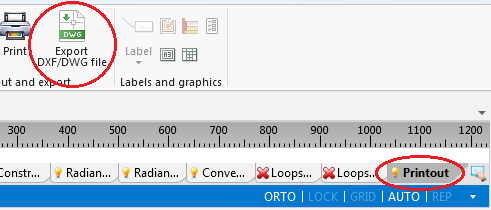
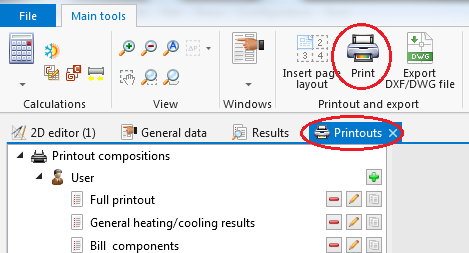
1. Export DXF/DWG file - Outputting to a printer and to other file formats is effected in the Printouts window. The Print function, available on the Main tools bar when the Printout editing scope is enabled, switches the program to that window. Alternatively this can be done by calling this window from the Windows menu on the Main tools bar.
2. Print - The Insert page layout icon, available on the Main tools bar when the Printout editing scope is enabled, allows placing a Printout pages component in a drawing. Every such component in the project is a new definition of the scope of printout / export of graphics.
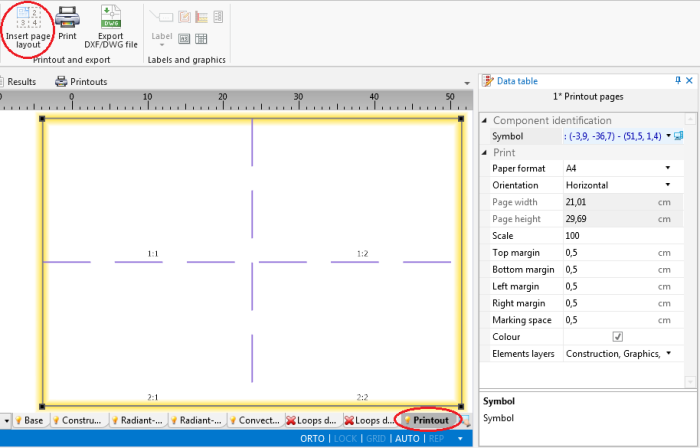
3. Insert page layout


Example of use
Exporting drawings to DWG format
Printing / exporting drawings to an XLS file
Printing / Exporting drawing of selected storey to a PDF file
Additional information
- When underlay drawing was imported with the Save underlay drawing -> In external file option and original location of the file is not available, the underlay layers cannot be exported. In such case, in order to have the underlay drawing included in the export or printout, it must be loaded again.
- User-defined and saved printout compositions, in addition to pre-defined compositions, will also be available in other projects.
For more information, see: Printout compositions.