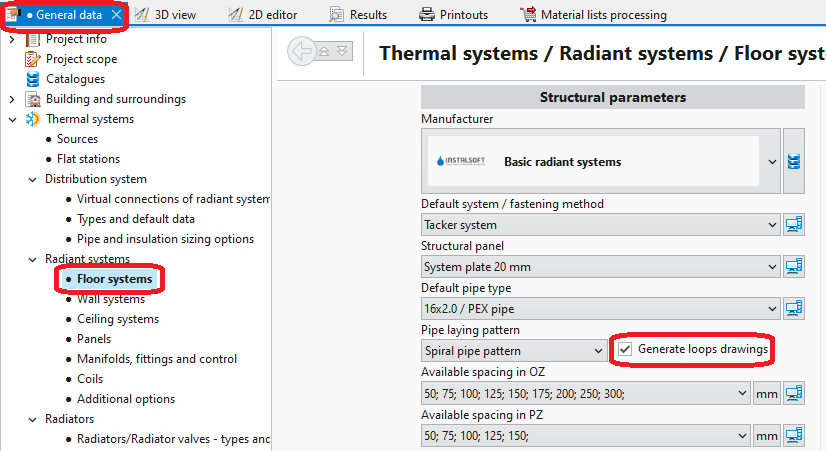
General data - 对Generate loops drawings前的复选框进行勾选,可以对所有部件开启自动绘制盘管图功能。 1. Loops drawings - 一般参数
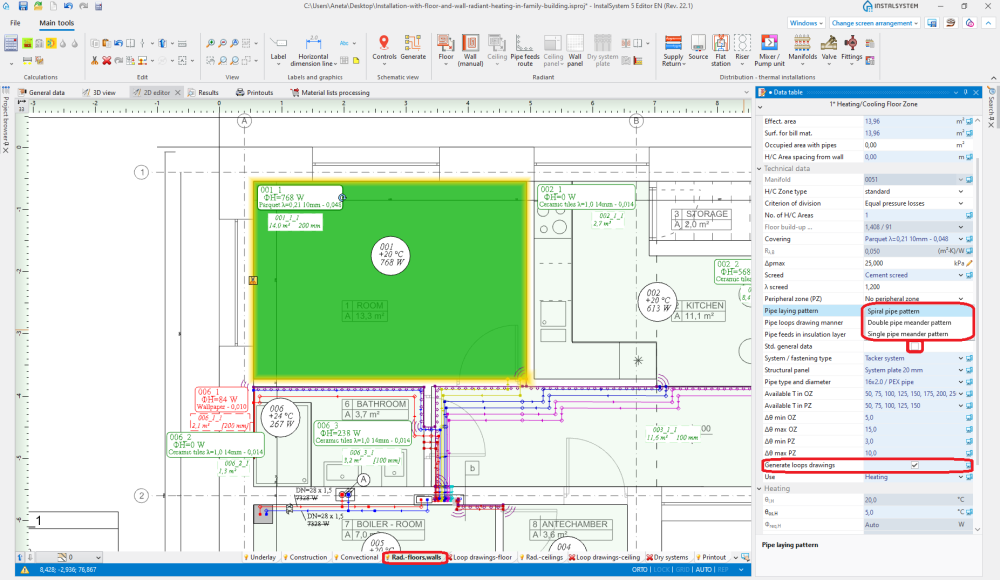
Data table for component Heating/Cooling Floor Zone, 当在 Rad.-floors,walls/Rad.-ceilings 层进行编辑时, 通过选择Generate loops drawings复选框,可启用: **自动绘制盘管图 ; loop generation can be disabled here for a selected component when this checkbox is selected in General data,
selection of pipe laying pattern. 2. Pipe laying pattern
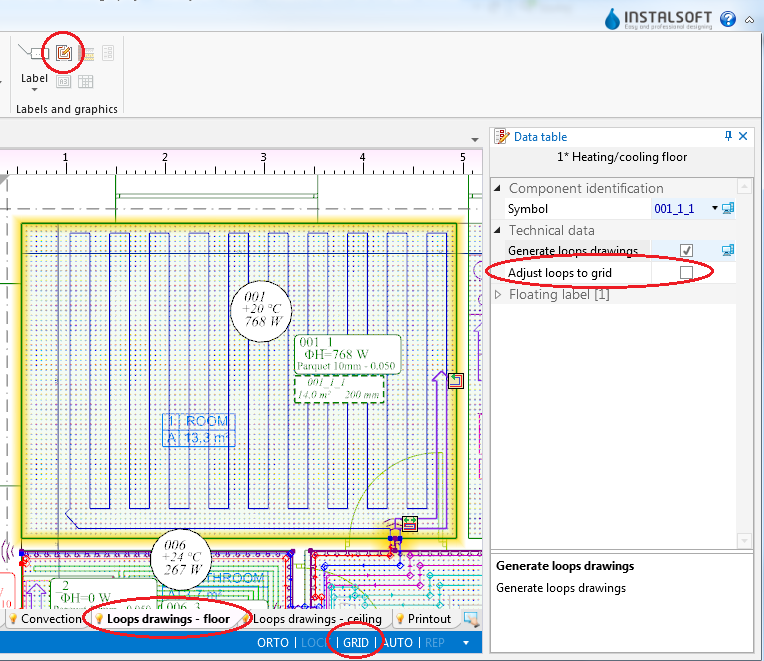
The RHC loop tool available in Main tools, when working in the Loop drawings-floor/Loop drawings-ceiling editing range, enables manual drawing of loops. Use of this tool is recommended with the GRID mode enabled. 3. Loop drawings - Graphical editing
Example of use
Automatic generation of loop drawings
Enable generation of loop drawings in general data or for selected components.
Other than default pipe laying pattern can optionally be selected for selected components.
Select the editing range Loop drawings-floor/Loop drawings-ceiling
Indicate the pipe laying direction for the individual loops. This is done by means of Graphic indicators which are enabled after selecting Heating-cooling surface. In the case of Spiral pipe pattern, indicator for changing direction of pipe laying is available. To reposition the indicator, press and hold the LMB on the indicator and drag it with the purple arrow in the desired direction of pipe laying. In the case of Single pipe meander pattern/Double pipe meander pattern, two indicators are available: for changing direction of pipe laying and for selecting the side parallel to the meandering direction .
Recalculate the project . After recalculation the drawings of the loops are generated automatically.
If necessary, correct the pipe laying direction by relocating the graphic indicators and recalculate the project to refresh the loop drawings.
Manual editing of loop drawings
Disable generation of loop drawings for selected components Heating-cooling surface. Attention! Clearing the Generate loops drawings option does not remove existing drawings of loops, it only freezes them in their current state and enables manual editing or deleting thereof.
Enable the GRID mode which helps in correcting or manual drawing of loops. Grid nodes are arranged at the minimum distance allowable for the selected pipe laying pattern. Colours of grid nodes are repeated for the current pipe spacing, which facilitates drawing with the use of that spacing. The grid can be arranged parallel to selected edge of component Heating/Cooling Floor Zone by positioning on that edge the blue hot-point . It becomes available when component Heating/Cooling Floor Zone is selected.
Correct/draw manually selected segments of loop.
Additional information
Graphic style - in order to improve the legibility of loop printouts, one can:
use component appearance style where zones of heating/cooling surfaces are transparent,
disable structure display or remove base drawing,
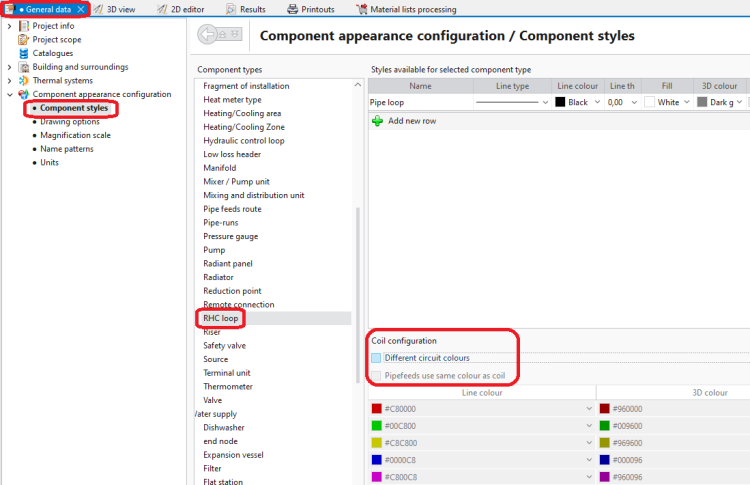
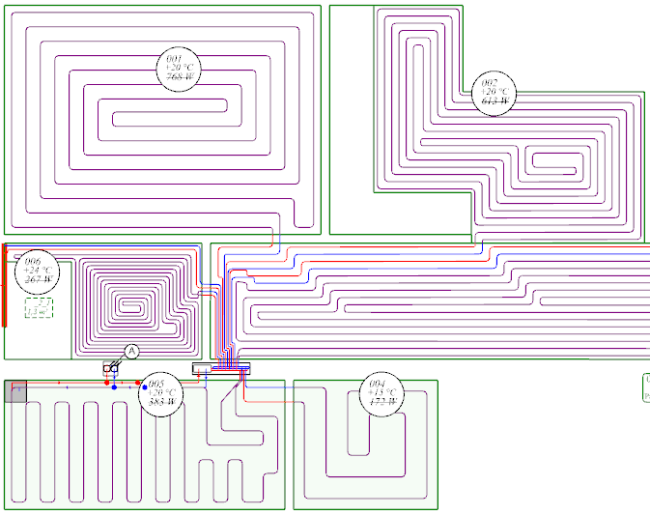
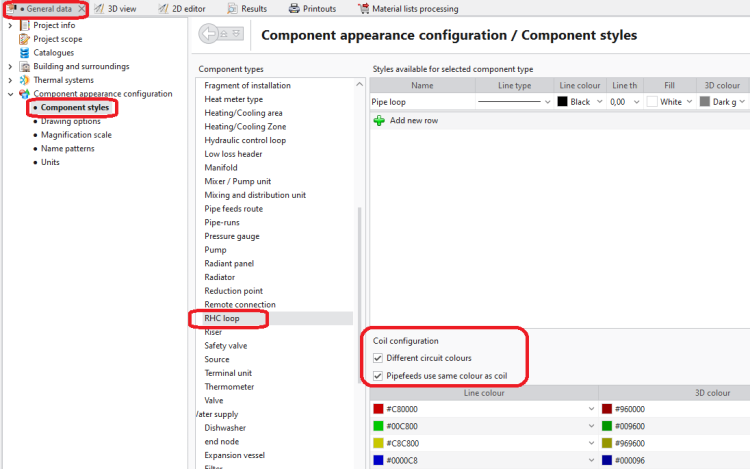
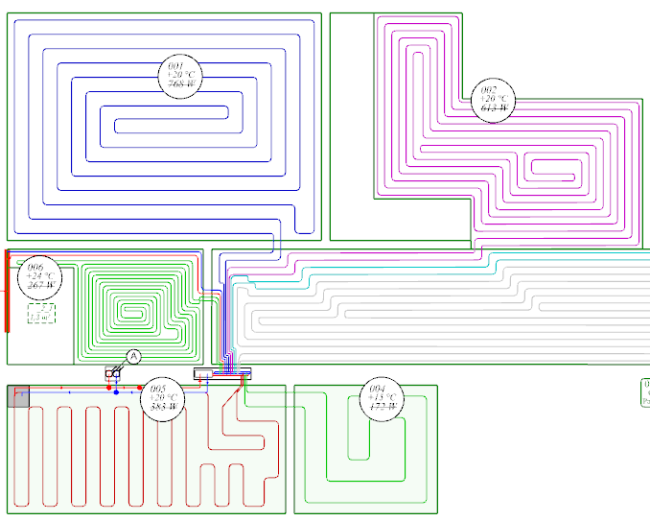
select manner of loop display where loops differ in colour and pipe feeds are of the same colour as the corresponding loops
4. Component styles - no colour difference between loops5. Graphical editing - no colour difference between loops
6. Component styles - loops differ in colour7. Graphical editing - loops differ in colour
Diagnostics - when the program is not able to generate a loop drawing for a given component, a warning is displayed in the diagnostics window. To rectify this, either the pipe laying parameters have to be adjusted or the Generate loops drawings checkbox must be cleared and the drawing modified manually. Manual modification may also be applied when the automatically generated drawing does not satisfy the user's expectations.


 for changing direction of pipe laying is available. To reposition the indicator, press and hold the LMB on the indicator and drag it with the purple arrow in the desired direction of pipe laying. In the case of Single pipe meander pattern/Double pipe meander pattern, two indicators are available: for changing direction of pipe laying
  .
. . After recalculation the drawings of the loops are generated automatically.


 . It becomes available when component Heating/Cooling Floor Zone is selected.


