Creating network profiles
Revision as of 12:17, 14 April 2026 by Klintsevicho (talk | contribs)
| Product | NetSystem 5 |
| Type of article | Functions and tools |
| Source for translation | 2026-04-13 |
Description
This article describes the methods of creating Profiles of Water supply networks and Sewage networks.
The profile creation feature allows to:
- automatically generate network profiles based on the prepared network. Profiles are created according to user-defined routes. The appearance can be manually configured.
- manually create network profiles without performing calculations.
Location in the program
- Icons of components and functions for the Profiles creation are available on the Main tools bar in the Profiles section when Water supply networks or Sewage networks scope is active:
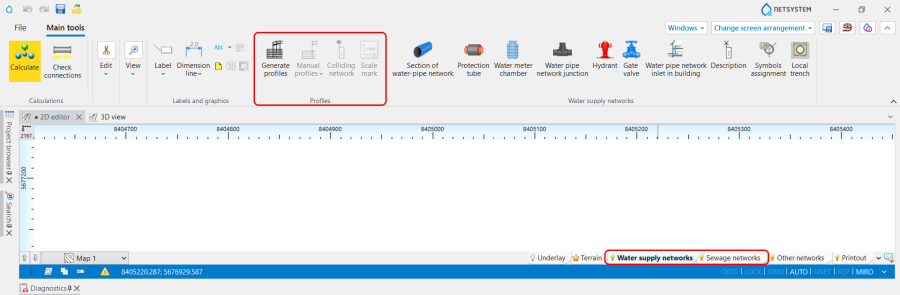
1. Profiles icons of components and functions .

Examples of use
The path for generating Automatic profiles is the following:
- Open Project browser and select Profiles Water supply networks scope;
- Choose Automatic profiles / Profile route definitions;