Heating/cooling zone build-up editor
Description
This article describes possibilities of editing structural, thermal and operational data of heating/cooling zones and structural partitions, upon which they are located.
Location in the program
Heating/cooling zone build-up editor is situated in: Data table after having ticked: Heating/Cooling Zone and checked the drop-down list Heating floor build-up \ Heating wall build-up \ Construction of heating/cooling ceiling.

Example of use
Presentation of data in the heating/cooling zone build-up editor
- The Heating floor build-up \ Heating wall build-up \ Construction of heating/cooling ceiling field presents overall thickness of the heating/cooling zone as well as overall thermal resistance.
- Having opened the editor, the user gains access to particular data, on the basis of which overall values are calculated:
- Overal thickness of heating/cooling zone layers.
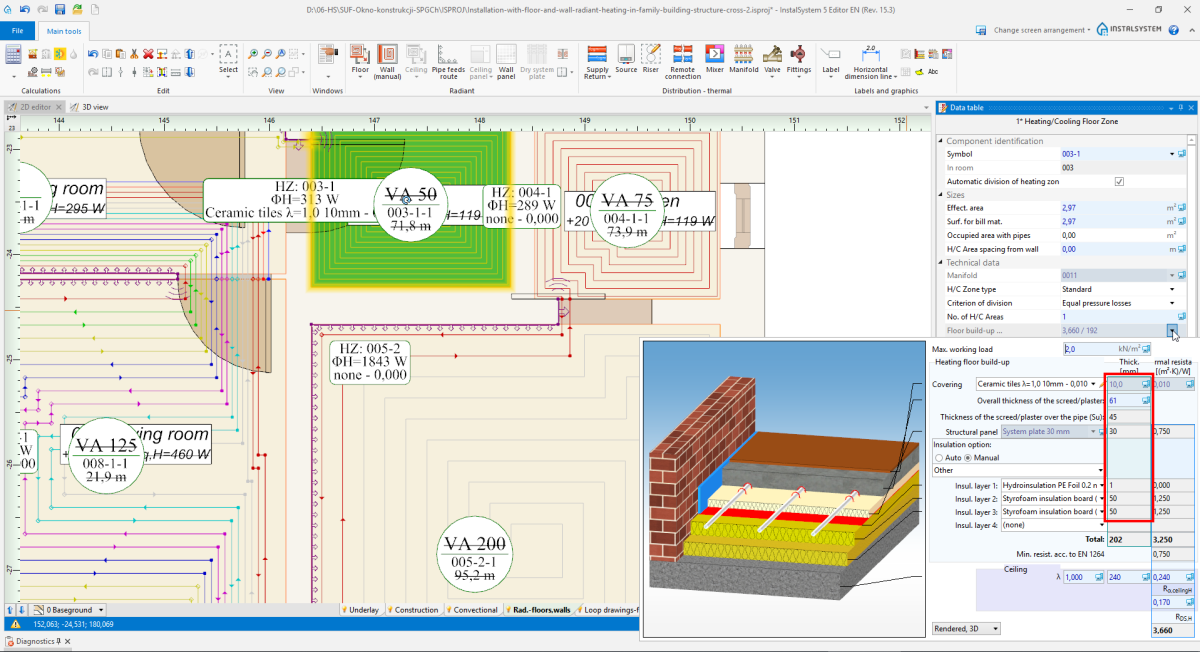
3. Layer thickness - Thermal resistance of particular layers of a given heating/cooling zone along with structural partition thermal resistance.
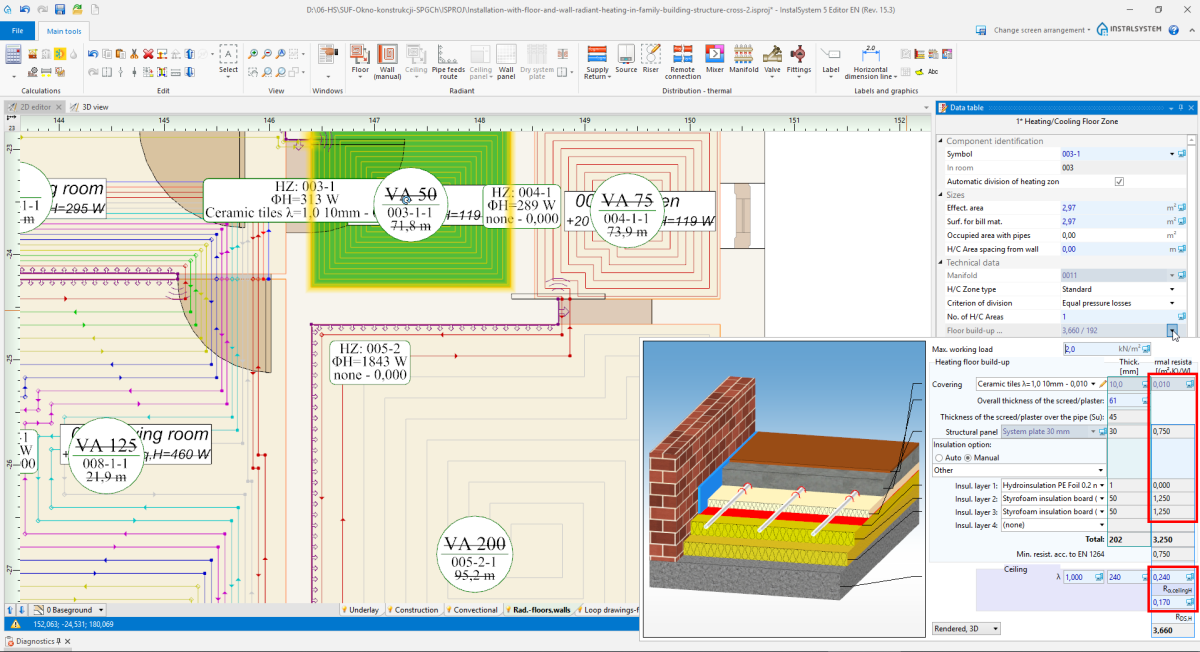
4. Thermal resistance of layer 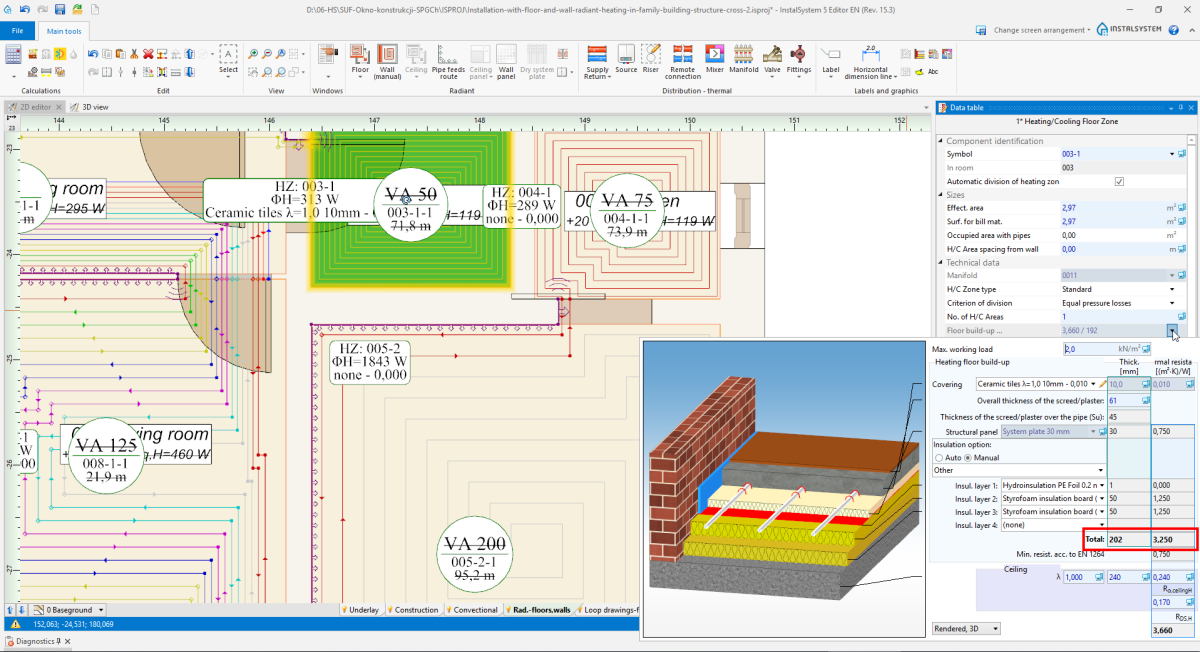
5. Overall constructure thickness i Resistance of layers
- Overal thickness of heating/cooling zone layers.


After data modification in the editor window, it is necessary to recalculate the project to update all values.
Heating/Cooling zone build-up edition
Covering

- Default covering originates from General data for Room type elements.
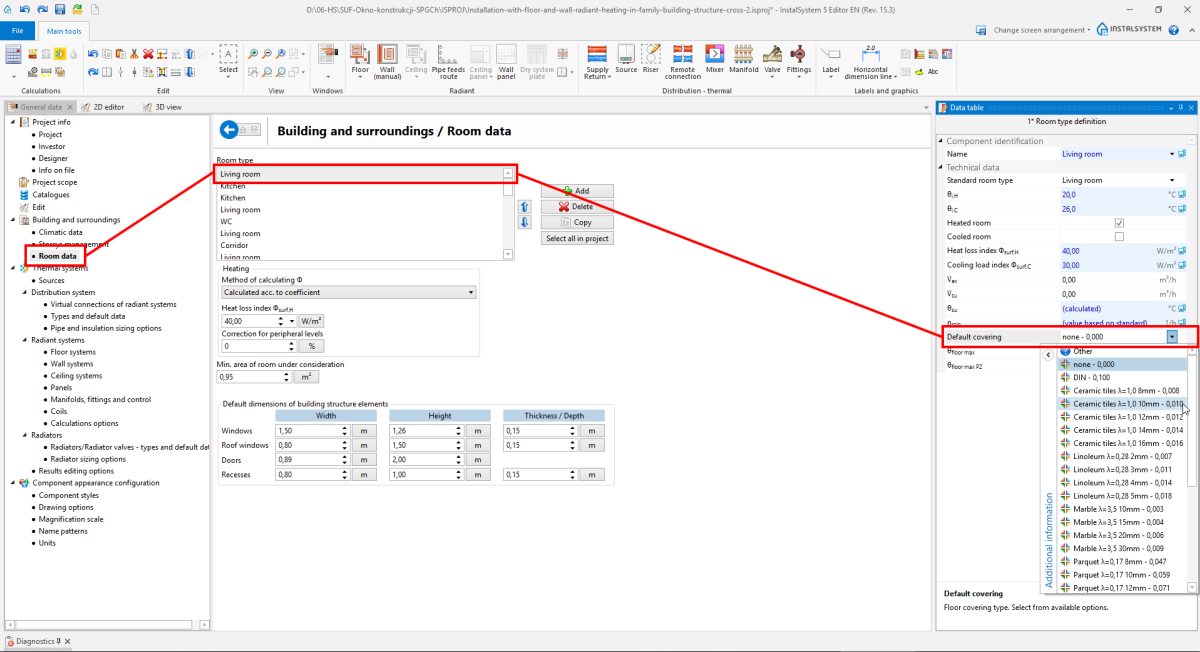
7. Default covering - Covering may be changed for each Heating/Cooling Zone element.
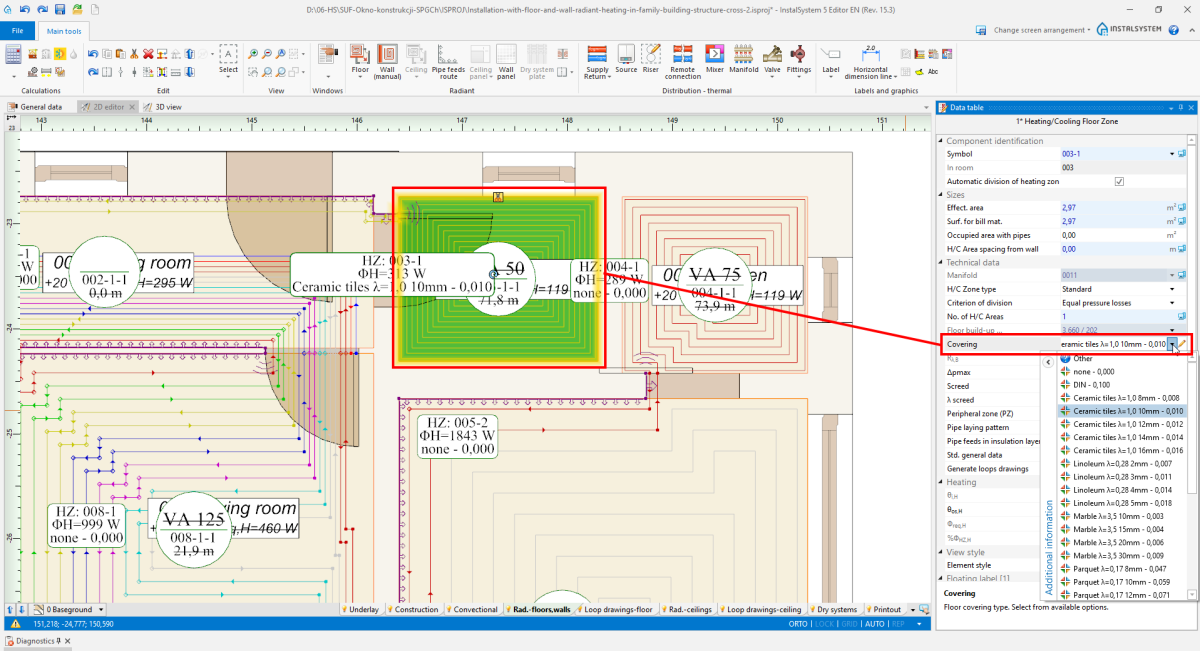
8. Covering


Overall thickness of the screed/plaster

Overall thickness of the screed/plaster w przypadku ustawienia Auto może się zmieniać adekwatnie do wartości Max. working load (), w granicach dopuszczonych przez producenta. Użytkownik może zmienić grubość, również w zakresie dopuszczonym przez producenta systemu, z uwzględnieniem innych danych systemu.
Thickness of the screed/plaster over the pipe Su jest zawsze przeliczana automatycznie przez program i nie można jej zmieniać ręcznie.
Structural panel

- Użytkownik ma możliwość zmiany płyty systemowej, jeśli:
- Dostępna jest więcej niż jedna dla wybranego systemu mocowania.
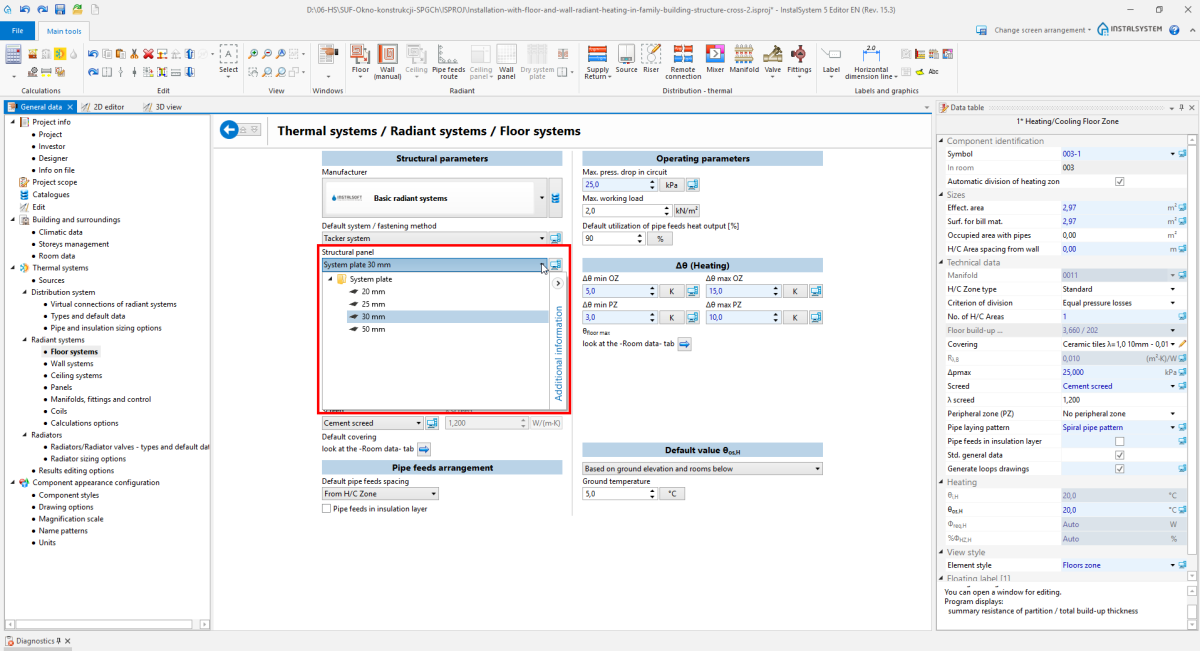
11. Structural panel - wybór z General data - W oknie: Data table elementu: Heating/Cooling Zone odznaczył Std. general data - w przeciwnym razie pole to jest wyłącznie w stanie Auto, bez możliwości edycji.
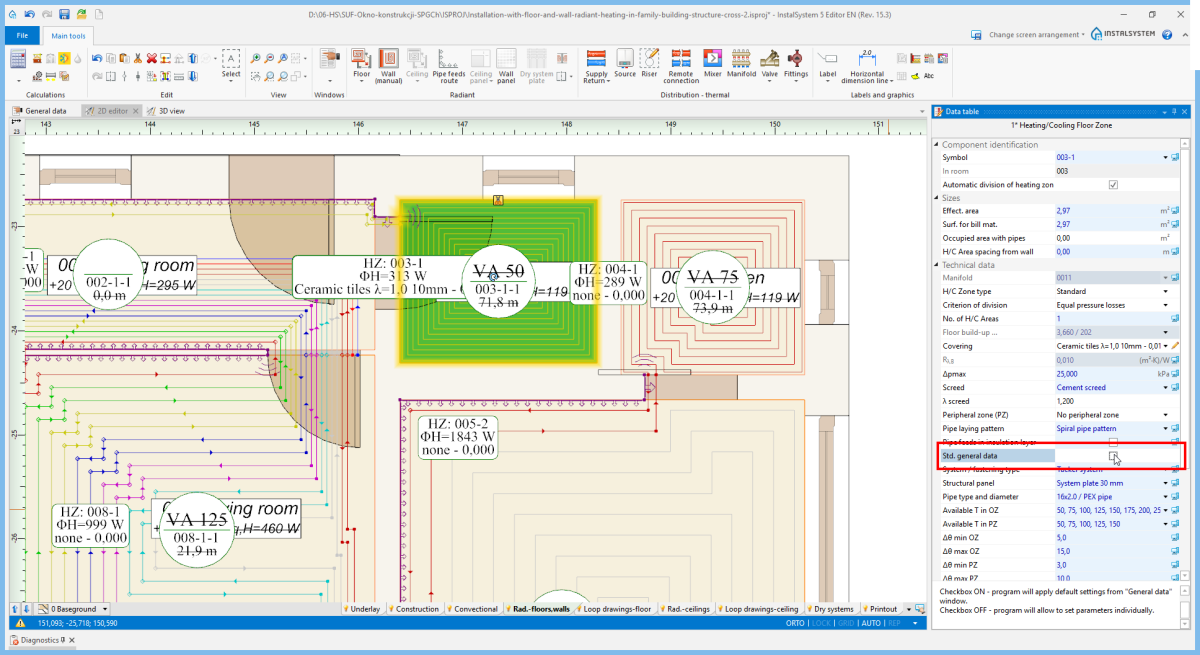
12. Structural panel - wybór z Data table


Insulation option

- Auto
Program dobiera Insulation option o minimalnym oporze wymaganym przez EN 1264: 1:2011 2:2013 3,4:2009 5:2008 dla wybranej płyty systemowej i na podstawie wartości Temperature on other side.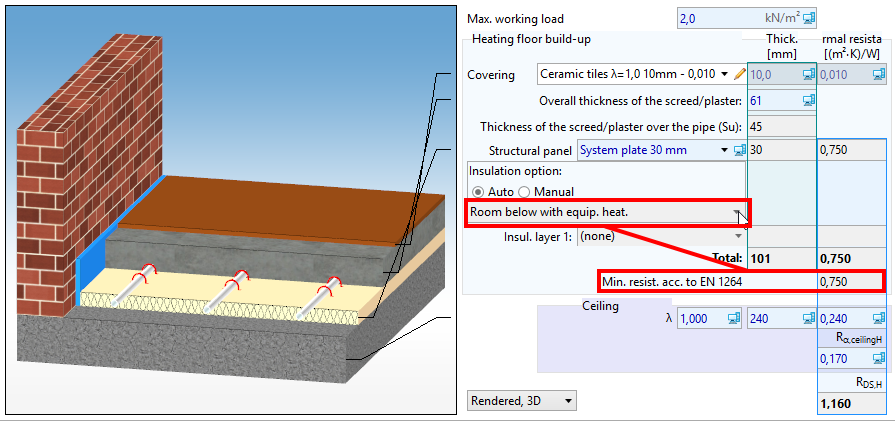
14. Insulation option - Auto - Manual
Można wybrać gotowy Insulation option z katalogu lub zdefiniować własny wybierając poszczególne warstwy izolacji (do wyboru jest maksymalnie 5 warstw).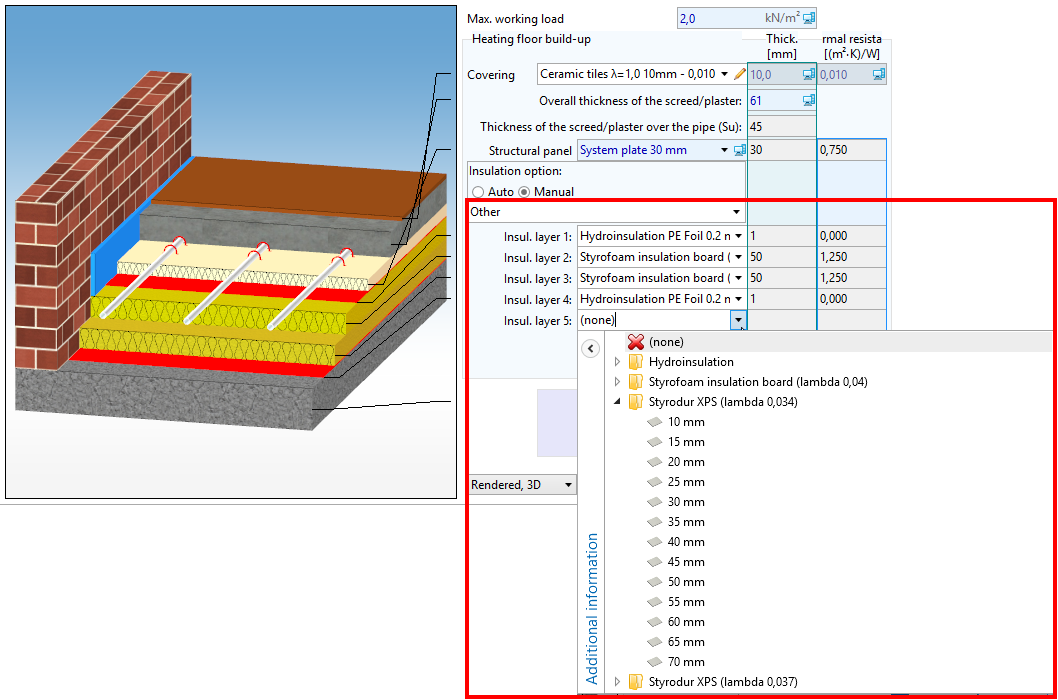
15. Insulation option - Manual


Structure cross section drawing
Użytkownik może zmienić sposób prezentacji rysunku przekroju płaszczyzny grzewczo-chłodzącej.

Edycja danych konstrukcyjno-cieplnych przegród budowlanych

- Program nie pobiera żadnych danych z elementów: Partition definitions z zakresu obliczeń: Thermal calculations of building i należy je skorygować ręcznie.
- Z okna: General data jest pobierana tylko wartość: Slab thickness.
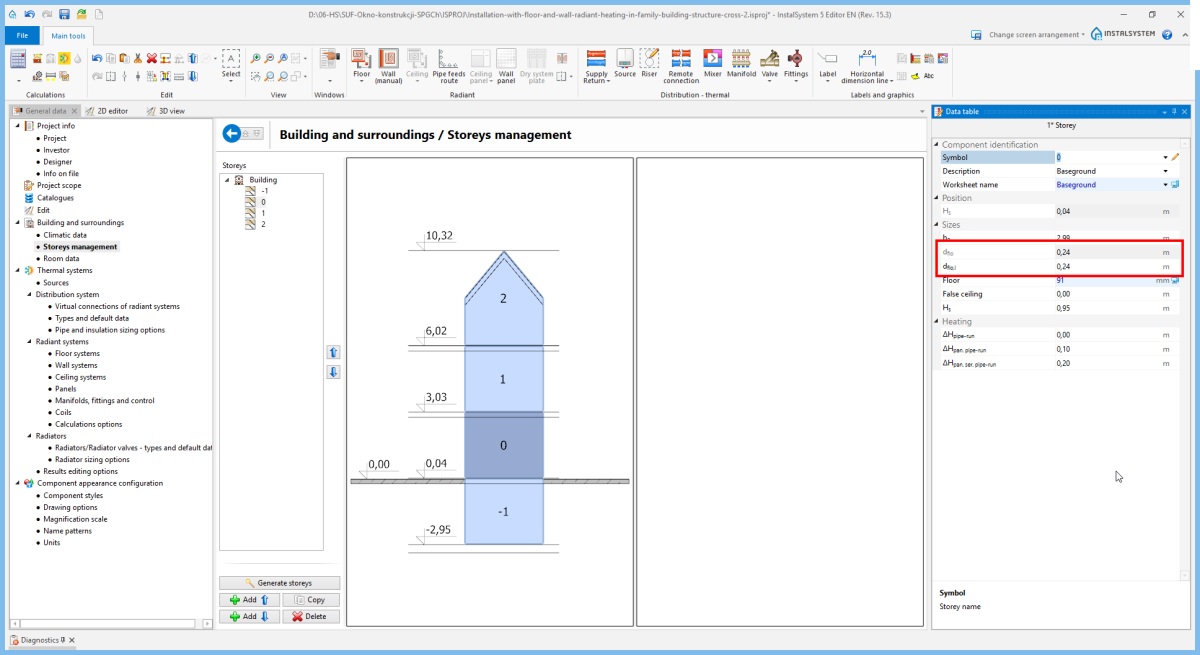
18. Slab thickness
