Interactive calculations of radiant systems
| Product | InstalSystem 5 |
| Type of article | FUNKCJA I NARZĘDZIE |
| Source for translation | GOLD Rev. 17.1 |
Description
Interactive radiant systems calculations enables fast manual adjustment of selected parameters of a radiant system in given application (Heating/Cooling). In the Interactive radiant systems calculations window the following can be adjusted:
- pipe spacing calculated by the program,
- the value of Temp. diff. supply-return
- the value of No. of H/C Areas.
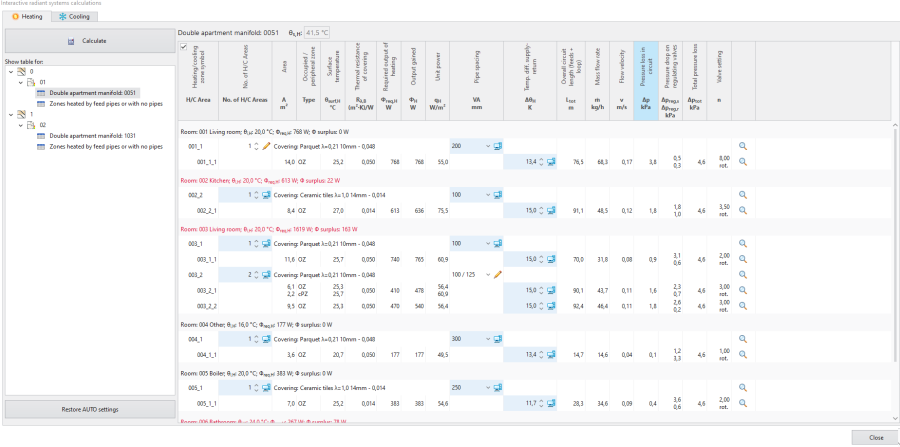
1. Interactive calculations window-heating tab 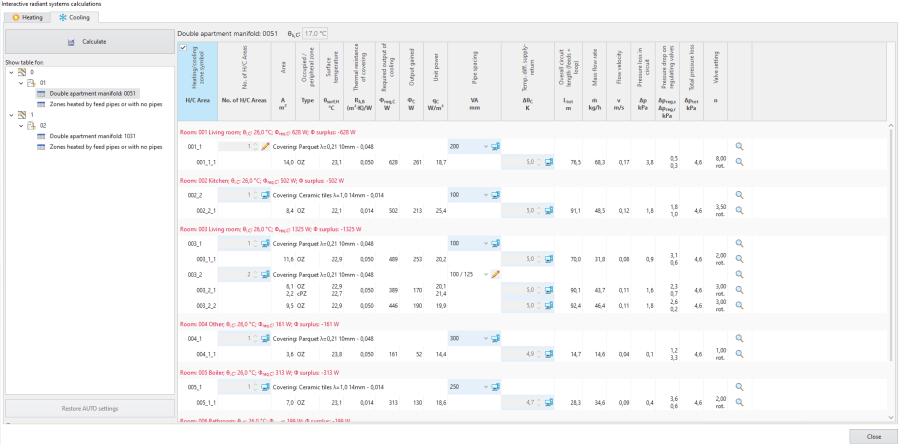
2. Interactive calculations window-cooling tab


After modifying any of these parameters and clicking Calculate, only the minimum required set of calculations is made:
- pressure drops in the radiant heating/cooling loops are balanced only in relation to each other across the manifold.
Pressure drops across the manifold balancing valves are calculated under the assumption that the pressure at the manifold inlet is equal to the required minimum available pressure for this manifold.
After these calculations pressure drops are recalculated with flow calculations made for the entire system, when the pressure at the manifold often turns out to be higher than the required minimum available pressure.
For this reason, after closing Interactive radiant systems calculations:
- calculations must be run, as the project has an uncalculated status, which is indicated, for instance, in the status bar:
Attention! The project has not been calculated or data have been modifed since last calculation..
Location in the program
- The Interactive radiant systems calculations icon is available in the Main tools bar in section Calculations.
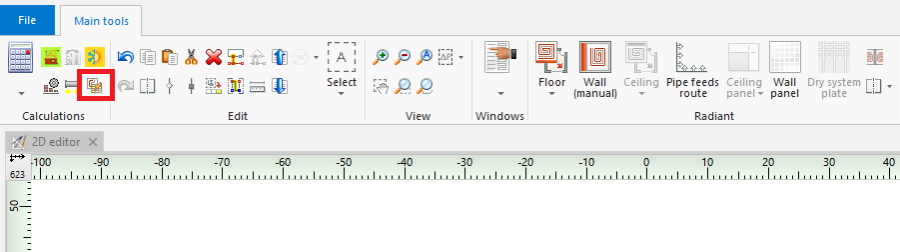
3. Interactive radiant systems calculations - Keyboard shortcut: Ctrl + Shift + F10.

Examples of use
Which interactive calculations are possible and which windows are editable depends on the selected use of source.
- Heating use - in the Interactive radiant systems calculations window it is possible to modify parameters in the Heating tab, the Cooling tab is empty.
- Heating and cooling efficiency use - in the Interactive radiant systems calculations window it is possible to modify parameters in the Heating tab, the Cooling tab displays all values, but these cannot be modified.
- Cooling use - in the Interactive radiant systems calculations window it is possible to modify parameters in the Cooling tab, the Heating tab is empty.
Other possibilities in the Interactive radiant systems calculations window
- Filtering H/C areas connected to given manifold.
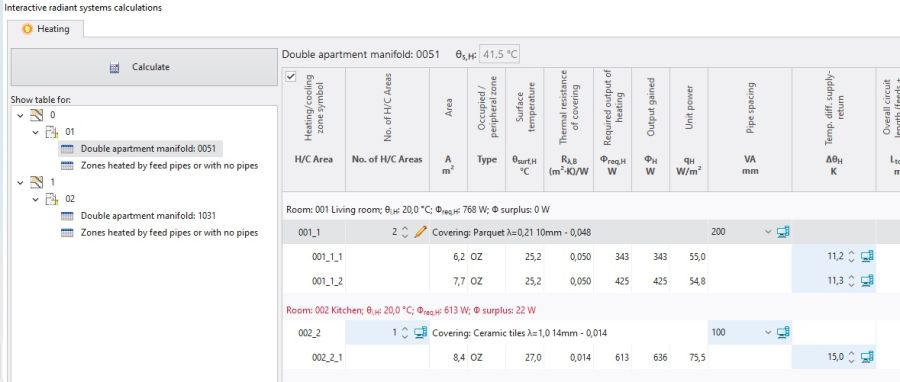
5. Filtering Heating/Cooling Zone connected to given manifold. - Restoration of automatic calculation settings - Restore AUTO settings.
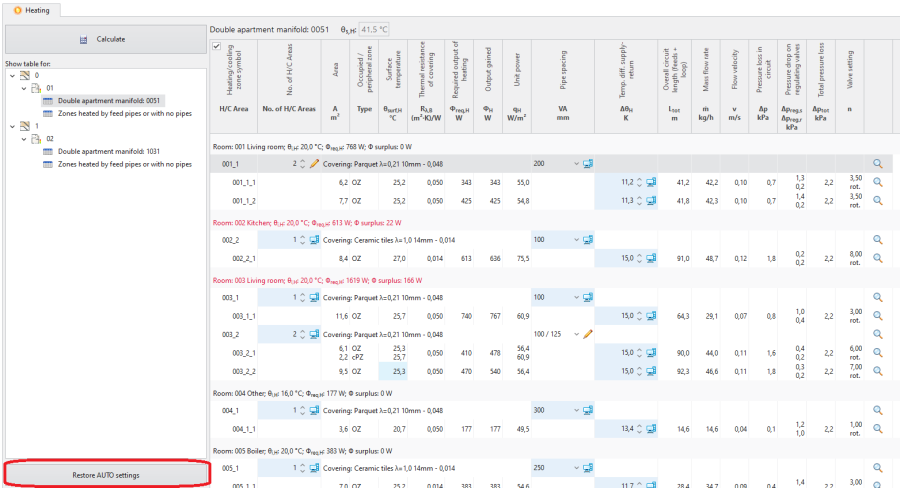
6. Restore AUTO settings


Adjustment of the number of Heating/Cooling Areas
- When the number of H/C Areas is changed manually, the default values of Temp. diff. supply-return (computer status) are restored for all H/C Areas belonging to given H/C Areas Zone.
Adjustment of pipe spacing
- As a result of manual adjustment of Pipe spacing the program can change the value of Heating-cooling surface, but the automatic mode of Heating/Cooling Zone division is not disabled.
Change in the value of Pipe spacing in a single Heating-cooling surface changes that parameter in all H/C Area elements present within the common Heating/Cooling Zone.
Adjustment of Temp. diff. supply-return
- Modification of this value may, among other things, have an effect on the elimination of the diagnostics message:
- water velocity in pipe not sufficient for self-venting.
- water velocity in pipe not sufficient for self-venting.
Dodatkowe informacje
Konsekwencją korekty parametrów w Interactive radiant systems calculations jest rezygnacja z optymalnego wariantu wyznaczania temperatury zasilania dla instalacji płaszczyznowej wg wybranego kryterium w General data:
- heat output and press. drop,
- min. investment costs.
Ta rezygnacja z optymalnego wariantu jest diagnozowana przez program komunikatami diagnostyki o randze podpowiedzi:
- there is a better spacing in heat output terms than the one specified,
- there is a better spacing in cost terms than the one specified,
- there is a better spacing in heat output and flow terms than the one specified.
Zawartość listy komunikatów diagnostyki w oknie Interactive radiant systems calculations oraz w oknie Diagnostics programu może się różnić. Ewentualne korekty w projekcie powinny opierać się o listę komunikatów po wykonaniu obliczeń dla odpowiedniego zakresu projektu np. "Instalacje grzewcze i chłodnicze", czyli w oknie Diagnostics.
Zasady wyróżnienia pól, które można edytować w oknie obliczeń:
- Zmiana wartości w polu powoduje podświetlenie komórki na inny kolor i prezentacje tej wartości.
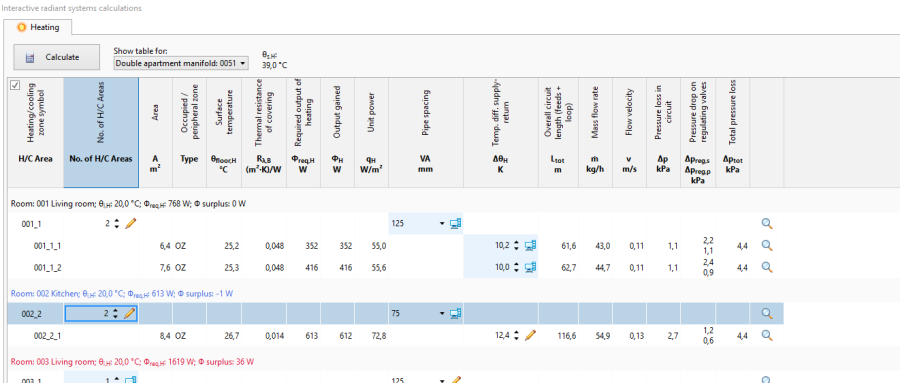
6. Prezentacja pola z wartością wprowadzoną ręcznie tuż po edycji - Po przeliczeniu wartości bez wyróżnienia kolorystycznego.
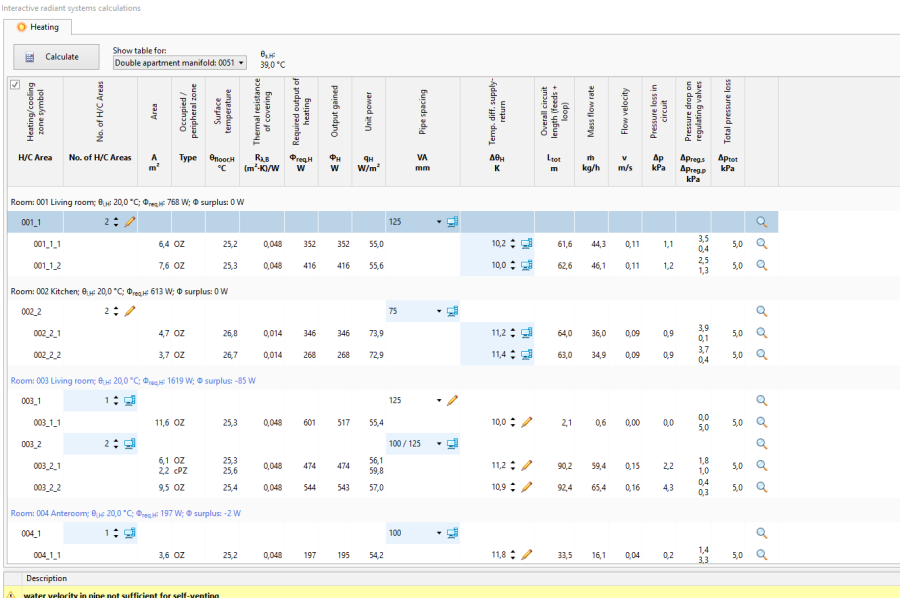
7. Prezentacja pola z wartością wprowadzoną ręcznie po obliczeniach

