InstalSmart Desktop: Difference between revisions
Klintsevicho (talk | contribs) (→scope) |
Klintsevicho (talk | contribs) (→scope) |
||
| Line 78: | Line 78: | ||
=====<IS_TS id=lystrFloors/> scope===== | =====<IS_TS id=lystrFloors/> scope===== | ||
'''InstalSmart''' provides the possibility to insert 2 types of ''<IS_TS id=rsPomieszczenie/>'' element: | '''InstalSmart''' provides the possibility to insert 2 types of ''<IS_TS id=rsPomieszczenie/>'' element: | ||
* ''<IS_TS id=rpPomieszczeniePunktowe/>'' | * ''<IS_TS id=rpPomieszczeniePunktowe/>''. In this case the area of the room needs to be specified manually. The area of the ''<IS_TS id=iNameOPStrefaPodlogGrzejnych/>'' will be determined accordingly. | ||
{{#ev:youtube|Lc795UlWVEU|900||||rel=0}} | {{#ev:youtube|Lc795UlWVEU|900||||rel=0}} | ||
* ''<IS_TS id=rsPomieszczenie/>'' - <IS_TS id=rprsPomieszczenieDesc/>. In this case the area of the room is indicated automatically.<br/>[[File:ISmart Room.png|900 px|left|thumb|11. Inserting <IS_TS id=rsPomieszczenie/>.]]<br clear="all"/> {{Info}} [[Preparation of building structure - Rooms layout#Inserting a room | Inserting a room]]. | * ''<IS_TS id=rsPomieszczenie/>'' - <IS_TS id=rprsPomieszczenieDesc/>. In this case the area of the room is indicated automatically.<br/>[[File:ISmart Room.png|900 px|left|thumb|11. Inserting <IS_TS id=rsPomieszczenie/>.]]<br clear="all"/> {{Info}} [[Preparation of building structure - Rooms layout#Inserting a room | Inserting a room]]. | ||
=====Radiant - floors and walls scope===== | =====Radiant - floors and walls scope===== | ||
Revision as of 11:13, 30 September 2024
| Product | InstalSmart |
| Type of article | DESIGNING LESSON |
| Source for translation | 2024-09-09 |
Scope of lesson
This article presents the basic path for quick and easy design of underfloor heating installations. Projects, created in InstalSmart application, can be continued in InstalSystem application. In turn, opening of projects, created in InstalSystem application, is blocked, and the corresponding message is appeared.
Modules and program configuration
- InstalSmart with the modules:
- Base module
- Radiant systems
The videos present the topics described in this article, but they aren’t a recording of this lesson.
Steps to perform
Preparing the working environment
Gaining access to the application
Download the program installation file from our website: Installation files.
Installation, activation, updating
Install the program via "Install" button.

To activate the free neutral version of the program use the multi-activation license number SM-ISFEN-2432-001-YA.

Creating the project file
Create the project using the New project function.

Working with the project
Editing the general project data
Climatic data
- Identify the location of the object to obtain the External temperature, design.
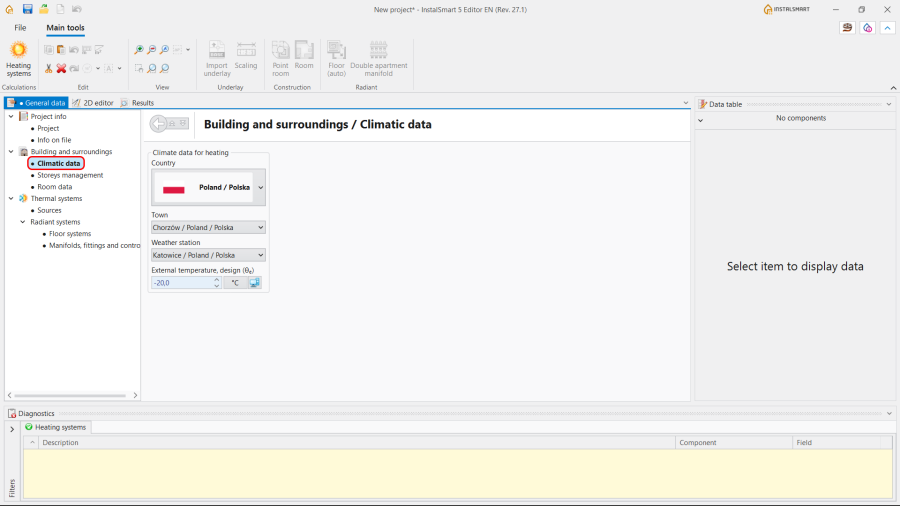
4.Climatic data.

Storeys management
- Create the required number of storeys;
- Specify Symbol and Description for each Storey;
- Fill in the sections Position and Sizes.
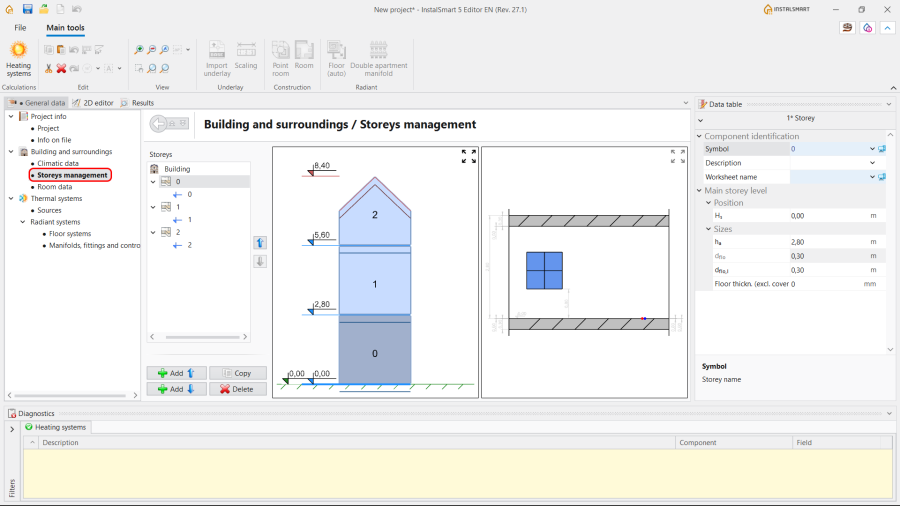
5.Storeys management.

Room data
- Choose the Method of calculating Φ - Calculated acc. to coefficient or User specified;
- (optionally) Adjust the Heat loss index Φsurf,H.
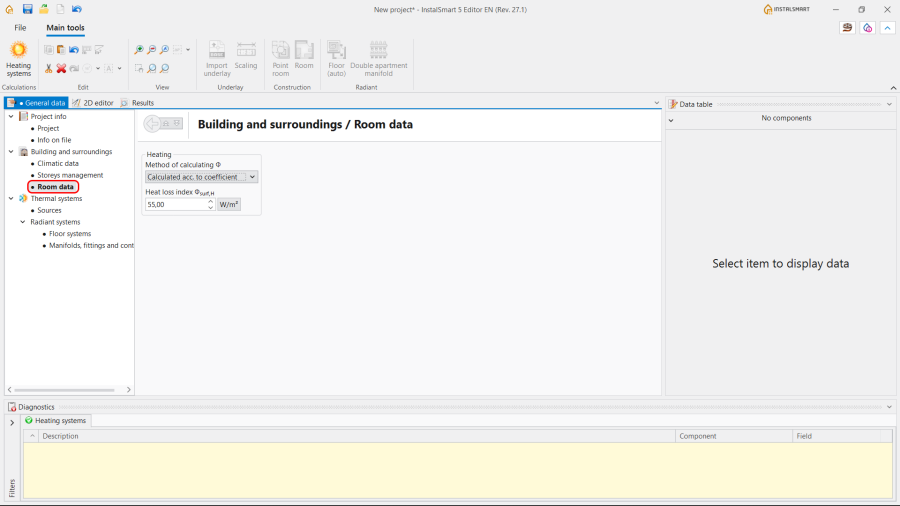
6.Room data.

Thermal systems / Sources
Select the method of determining the supply temperature:
- Optimized by the program in accordance with min. investment costs or heat output and press. drop;
- Impose supply temperature manually.
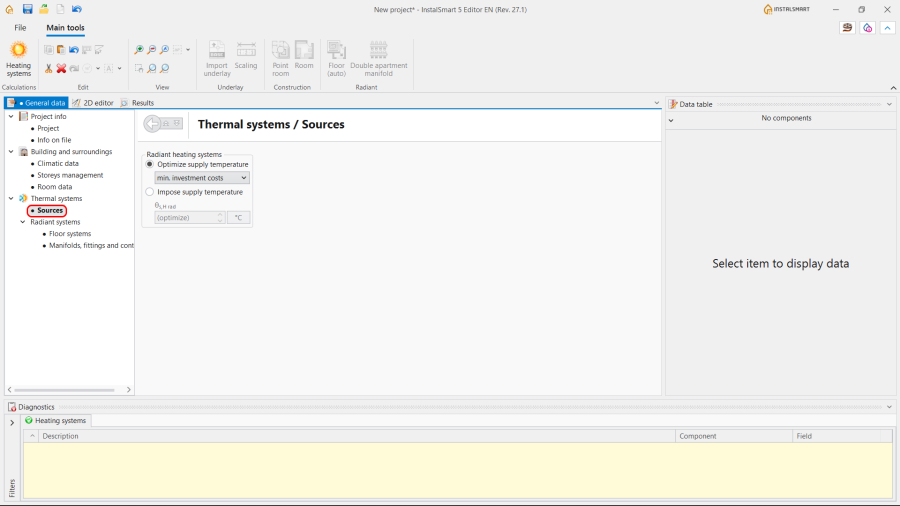
7.Thermal systems / Sources.

Thermal systems / Radiant systems
- Floor systems:
- Specify Structural parameters;
- Specify Operating parameters.
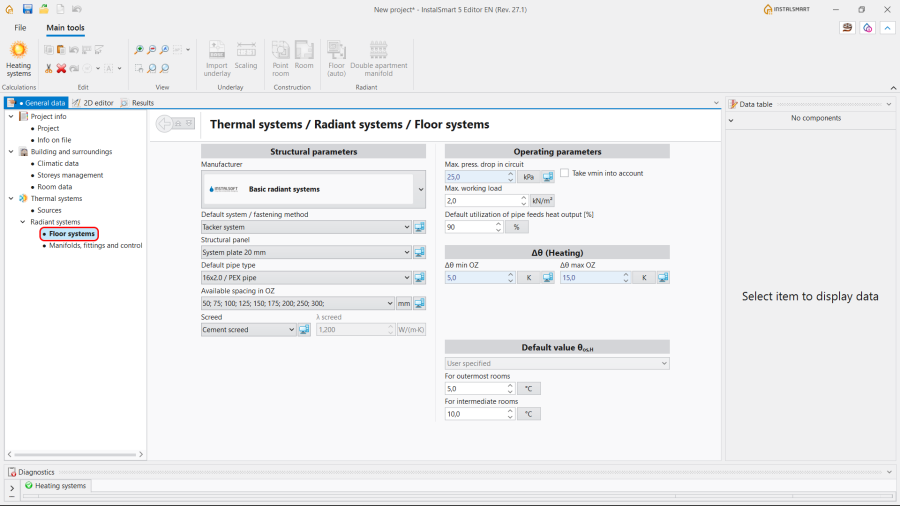
8.Thermal systems / Radiant systems / Floor systems.
Note: InstalSmart application does not offer the following options: - generating loops, so there is no ability to set the Pipe laying pattern and to Generate loops drawings;
- inserting the Peripheral zone (PZ), so the adjustment of Available spacing in PZ is impossible;
- setting the H/C Area spacing from wall;
- pipe-feeds routing, so there is no possibility to specify the settings for the Pipe feeds arrangement;
- automatically indicating of the Default value θos,H (Temperature on the opposite side during heating period), so this value can be only User specified.
- Manifolds, fittings and control:
- Specify parameters for the Manifold;
- Specify parameters for the Circuit control system.
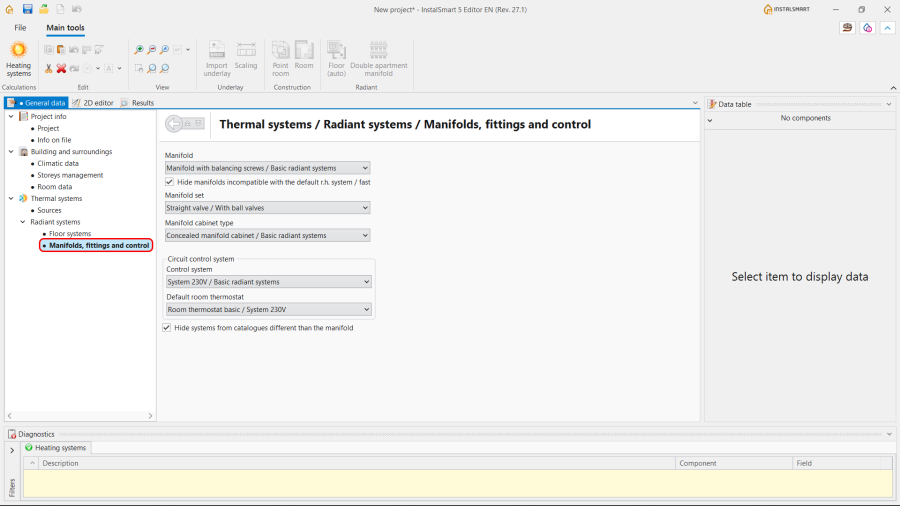
9.Thermal systems / Radiant systems / Manifolds, fittings and control.


Editing the installation and its data
Underlay scope
- Import underlay;
- Make Scaling of the Underlay.
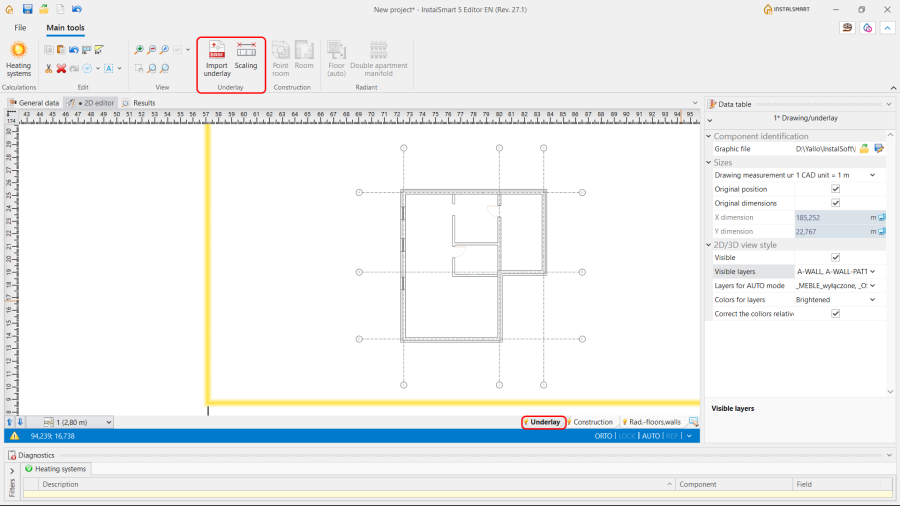
10. Import underlay.
For more information, see: Import underlay files.
Note: The usage of IFC format files is not possible in the InstalSmart application.

Construction scope
InstalSmart provides the possibility to insert 2 types of Room element:
- Point room. In this case the area of the room needs to be specified manually. The area of the Heating/Cooling Floor Zone will be determined accordingly.
- Room - Allows to create contours of rooms. In this case the area of the room is indicated automatically.
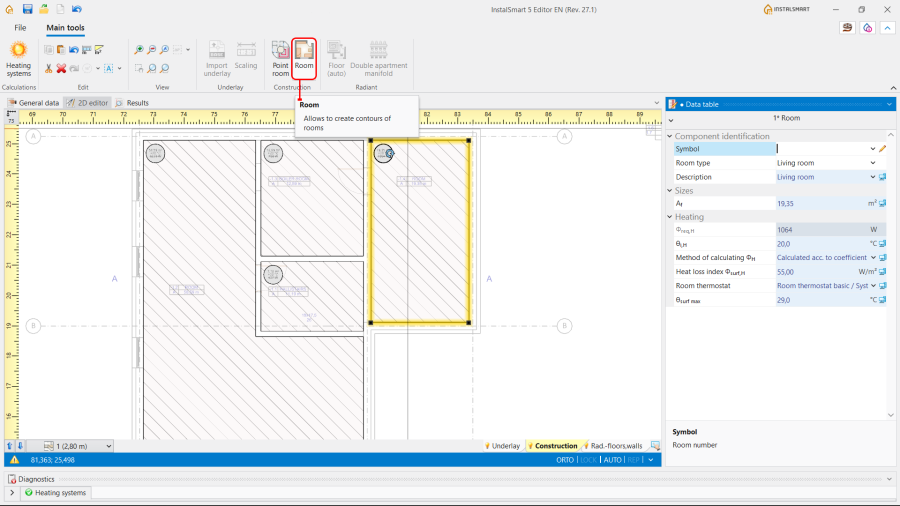
11. Inserting Room.
For more information, see: Inserting a room.
