Heating/cooling zone build-up editor: Difference between revisions
No edit summary |
No edit summary |
||
| Line 48: | Line 48: | ||
====''<IS_TS id=strGruboscWylewkiCalkowita/>''==== | ====''<IS_TS id=strGruboscWylewkiCalkowita/>''==== | ||
[[File:Floor-build-up-Thickness.png|left|thumb|1200px|9. ''<IS_TS id=strGruboscWylewkiCalkowita/>'']]<br clear="all"/><br/>''<IS_TS id=strGruboscWylewkiCalkowita/>'' | [[File:Floor-build-up-Thickness.png|left|thumb|1200px|9. ''<IS_TS id=strGruboscWylewkiCalkowita/>'']]<br clear="all"/><br/>''<IS_TS id=strGruboscWylewkiCalkowita/>'', in case of the ''<IS_TS id=automanAuto/>'' setting, may change according to the ''<IS_TS id=strMaxDopObciazenie/>'' value (''<IS_TS id=_rsssKiloNewtonNaMetrKwadrat/>''), within limits allowed by the producer. The user may change thickness, also in the limits allowed by the system producer, while taking into consideration all other system data.<br/>''<IS_TS id=strGruboscWylewkiPonadRura/>'' ''<IS_TS id=strWylewkaSu/>'' is always calculated automatically by the program, and it cannot be changed manually.<br/><br/> | ||
====''<IS_TS id=strPlytaSyst/>''==== | ====''<IS_TS id=strPlytaSyst/>''==== | ||
Revision as of 14:27, 27 August 2019
Description
This article describes possibilities of editing structural, thermal and operational data of heating/cooling zones and structural partitions, upon which they are located.
Location in the program
Heating/cooling zone build-up editor is situated in: Data table after having ticked: Heating/Cooling Zone and checked the drop-down list Heating floor build-up \ Heating wall build-up \ Construction of heating/cooling ceiling.

Example of use
Presentation of data in the heating/cooling zone build-up editor
- The Heating floor build-up \ Heating wall build-up \ Construction of heating/cooling ceiling field presents overall thickness of the heating/cooling zone as well as overall thermal resistance.
- Having opened the editor, the user gains access to particular data, on the basis of which overall values are calculated:
- Overal thickness of heating/cooling zone layers.
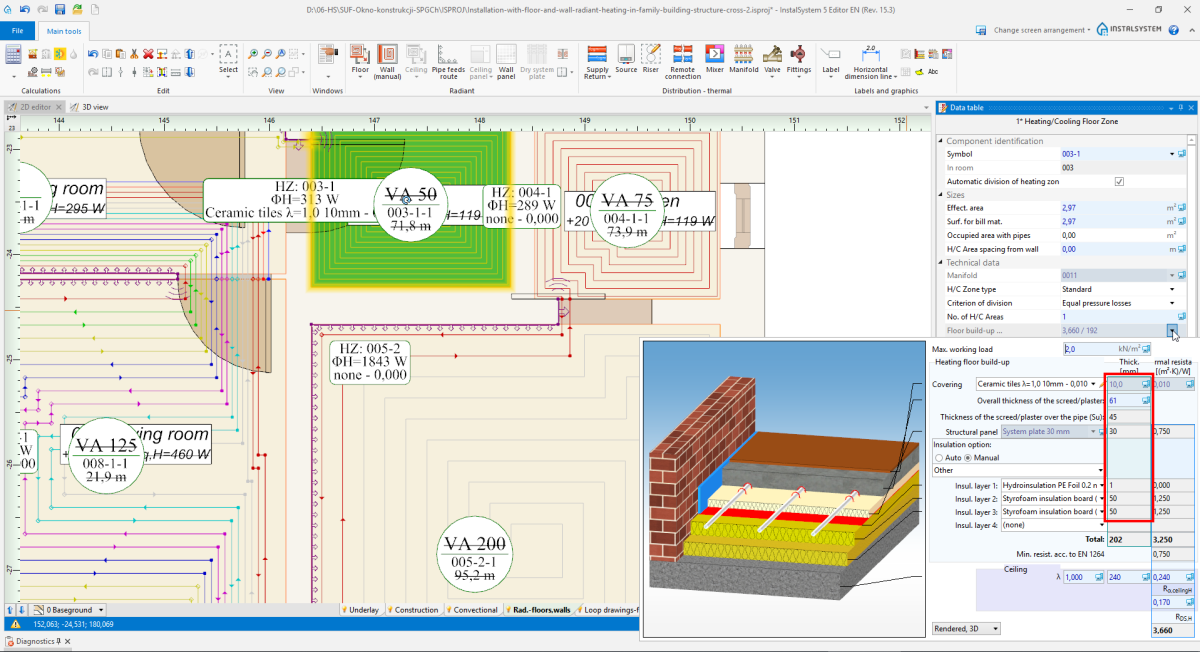
3. Layer thickness - Thermal resistance of particular layers of a given heating/cooling zone along with structural partition thermal resistance.
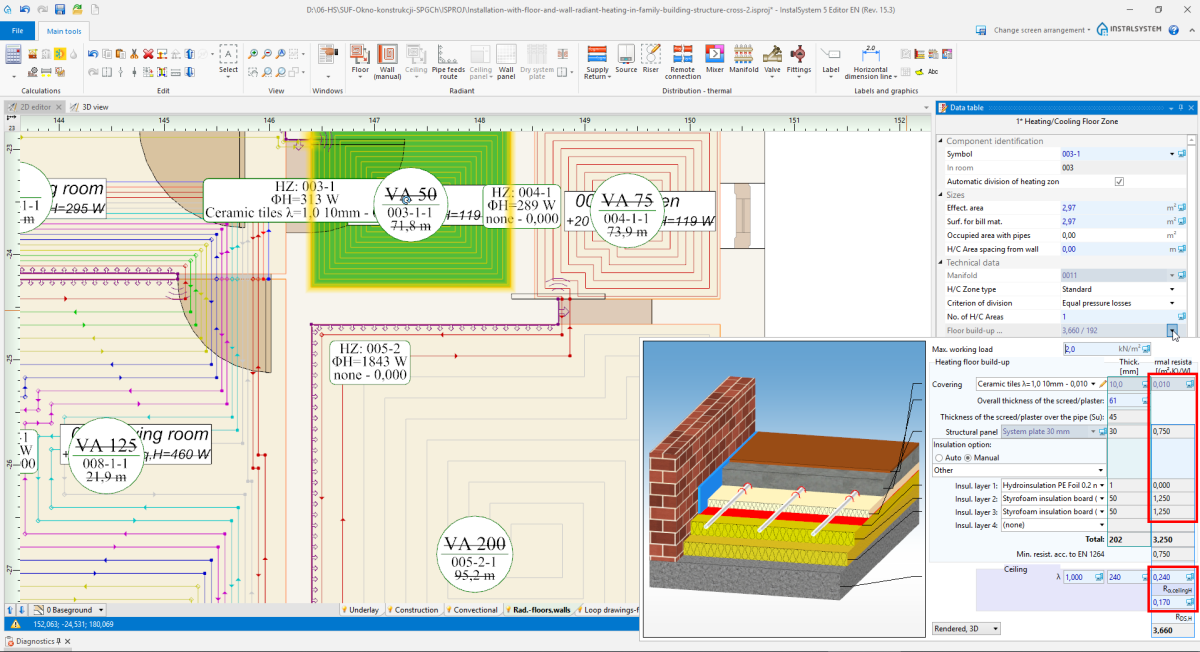
4. Thermal resistance of layer 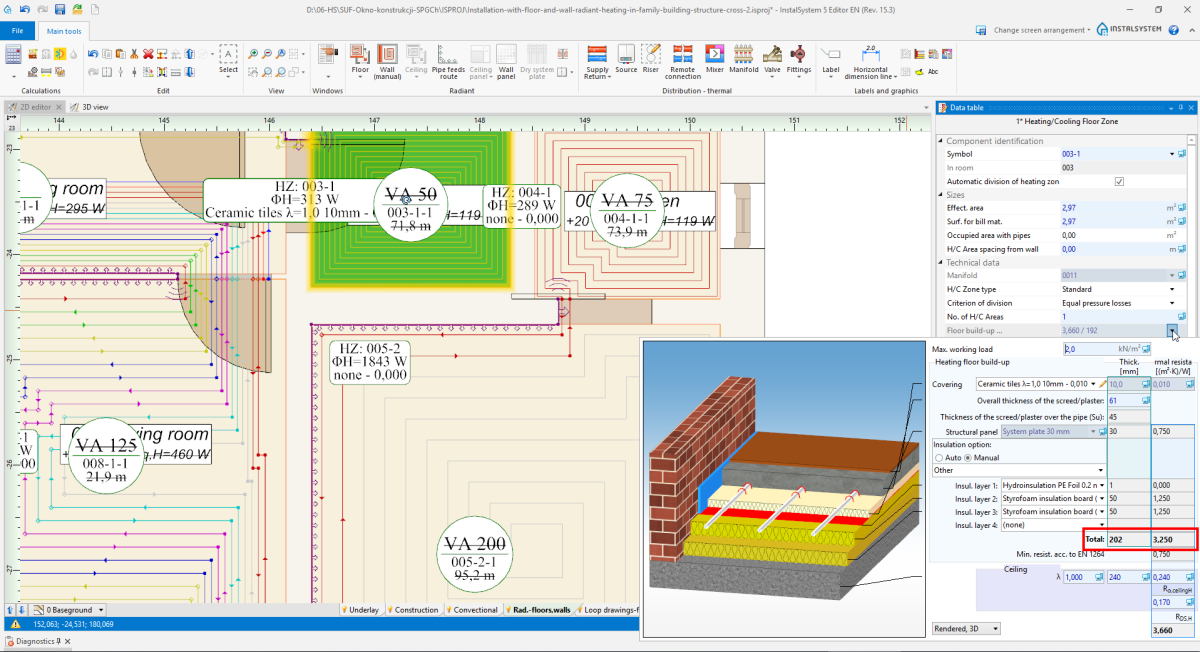
5. Overall constructure thickness i Resistance of layers
- Overal thickness of heating/cooling zone layers.


After data modification in the editor window, it is necessary to recalculate the project to update all values.
Heating/Cooling zone build-up edition
Covering

- Default covering originates from General data for Room type elements.
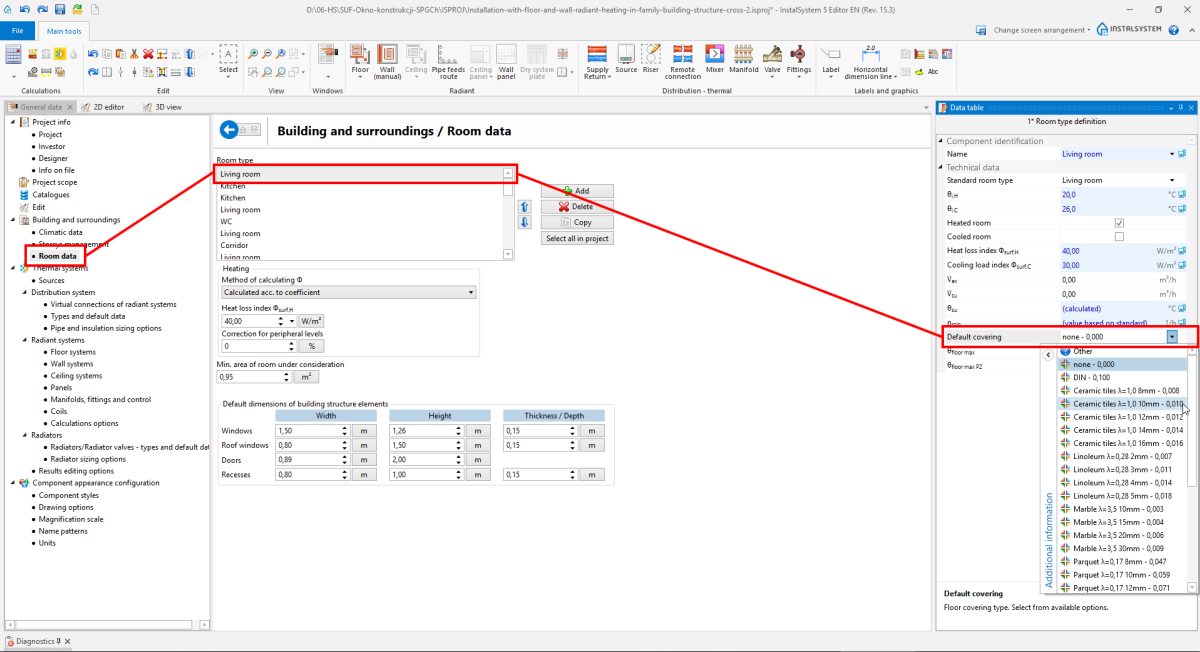
7. Default covering - Covering may be changed for each Heating/Cooling Zone element.
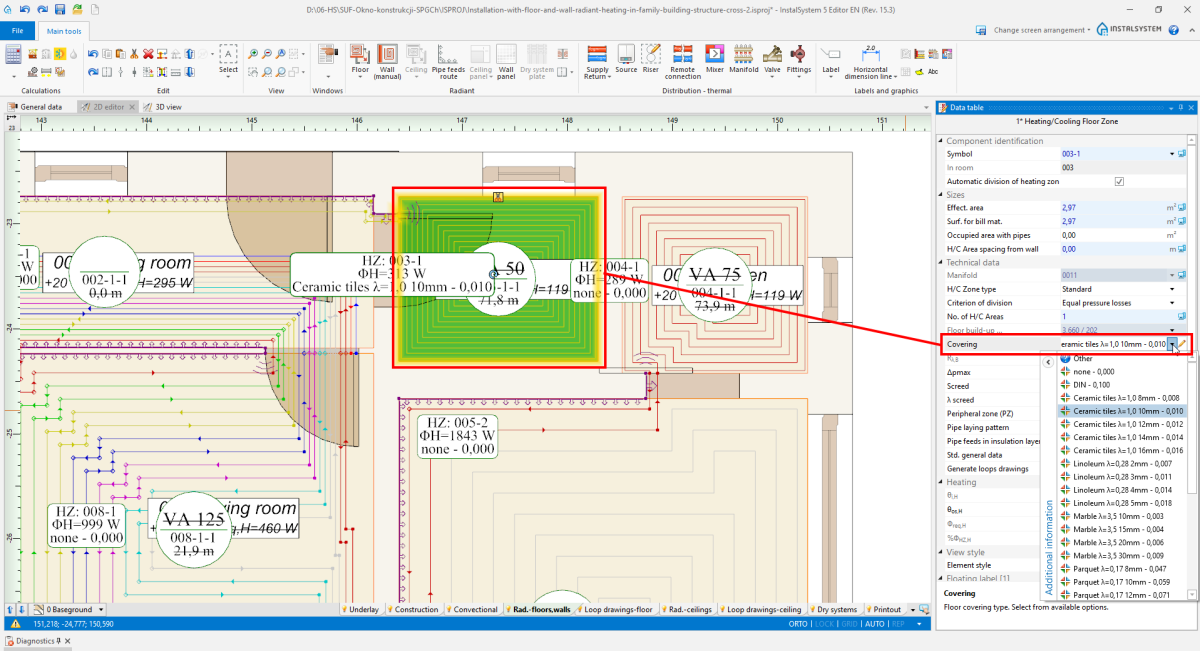
8. Covering


Overall thickness of the screed/plaster

Overall thickness of the screed/plaster, in case of the Auto setting, may change according to the Max. working load value (), within limits allowed by the producer. The user may change thickness, also in the limits allowed by the system producer, while taking into consideration all other system data.
Thickness of the screed/plaster over the pipe Su is always calculated automatically by the program, and it cannot be changed manually.
Structural panel

- Użytkownik ma możliwość zmiany płyty systemowej, jeśli:
- Dostępna jest więcej niż jedna dla wybranego systemu mocowania.
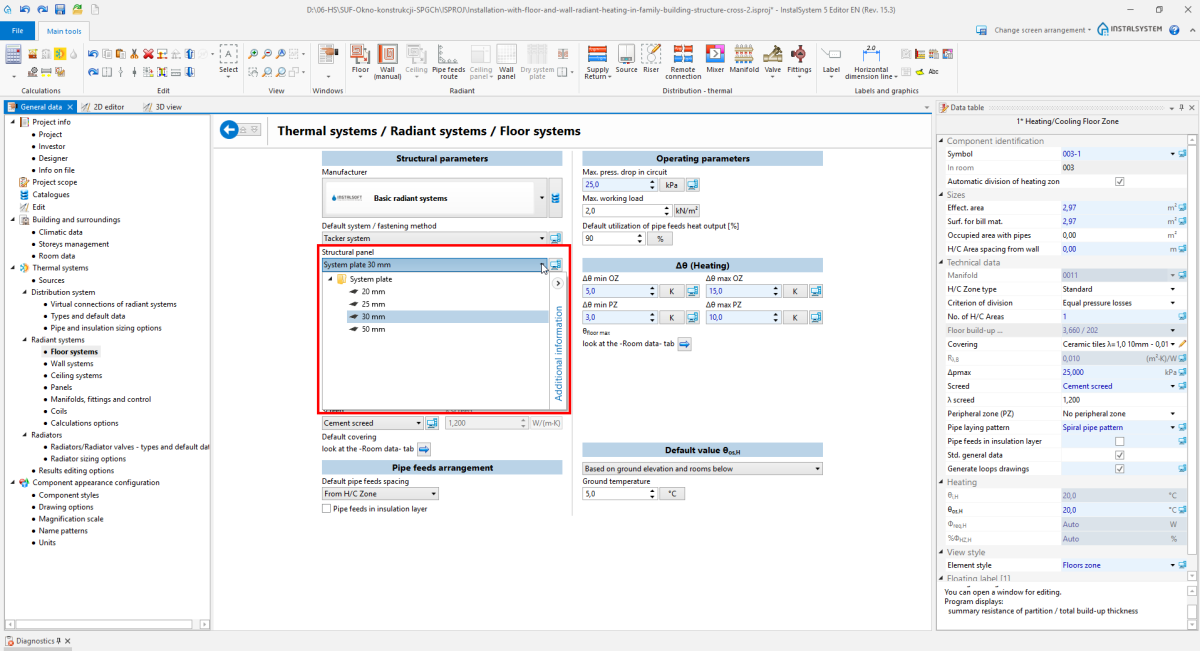
11. Structural panel - wybór z General data - W oknie: Data table elementu: Heating/Cooling Zone odznaczył Std. general data - w przeciwnym razie pole to jest wyłącznie w stanie Auto, bez możliwości edycji.
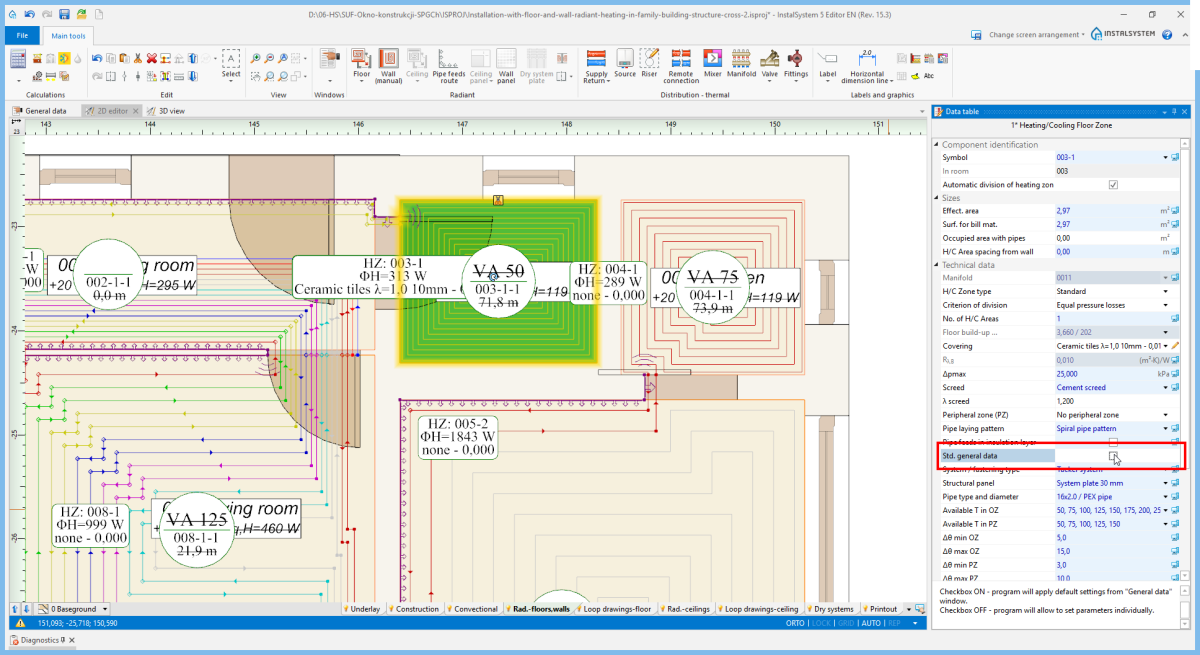
12. Structural panel - wybór z Data table


Insulation option

- Auto
Program dobiera Insulation option o minimalnym oporze wymaganym przez EN 1264: 1:2011 2:2013 3,4:2009 5:2008 dla wybranej płyty systemowej i na podstawie wartości Temperature on other side.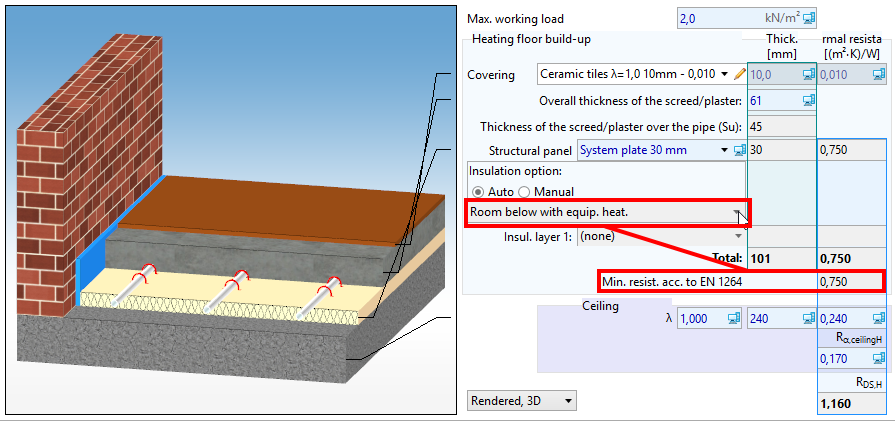
14. Insulation option - Auto - Manual
Można wybrać gotowy Insulation option z katalogu lub zdefiniować własny wybierając poszczególne warstwy izolacji (do wyboru jest maksymalnie 5 warstw).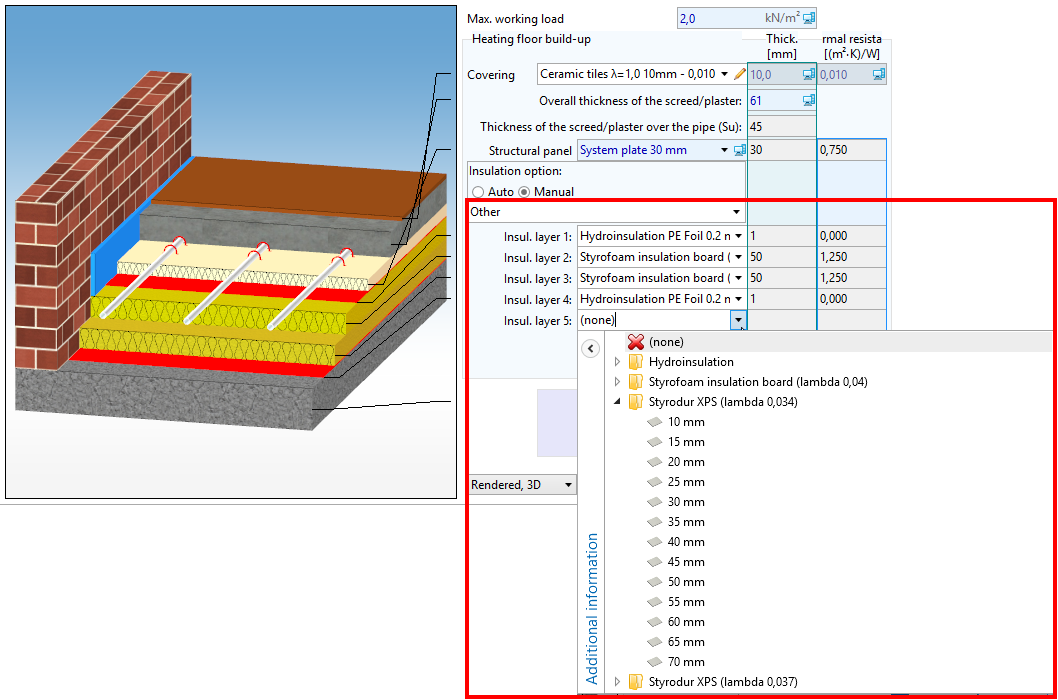
15. Insulation option - Manual


Structure cross section drawing
Użytkownik może zmienić sposób prezentacji rysunku przekroju płaszczyzny grzewczo-chłodzącej.

Edycja danych konstrukcyjno-cieplnych przegród budowlanych

- Program nie pobiera żadnych danych z elementów: Partition definitions z zakresu obliczeń: Thermal calculations of building i należy je skorygować ręcznie.
- Z okna: General data jest pobierana tylko wartość: Slab thickness.
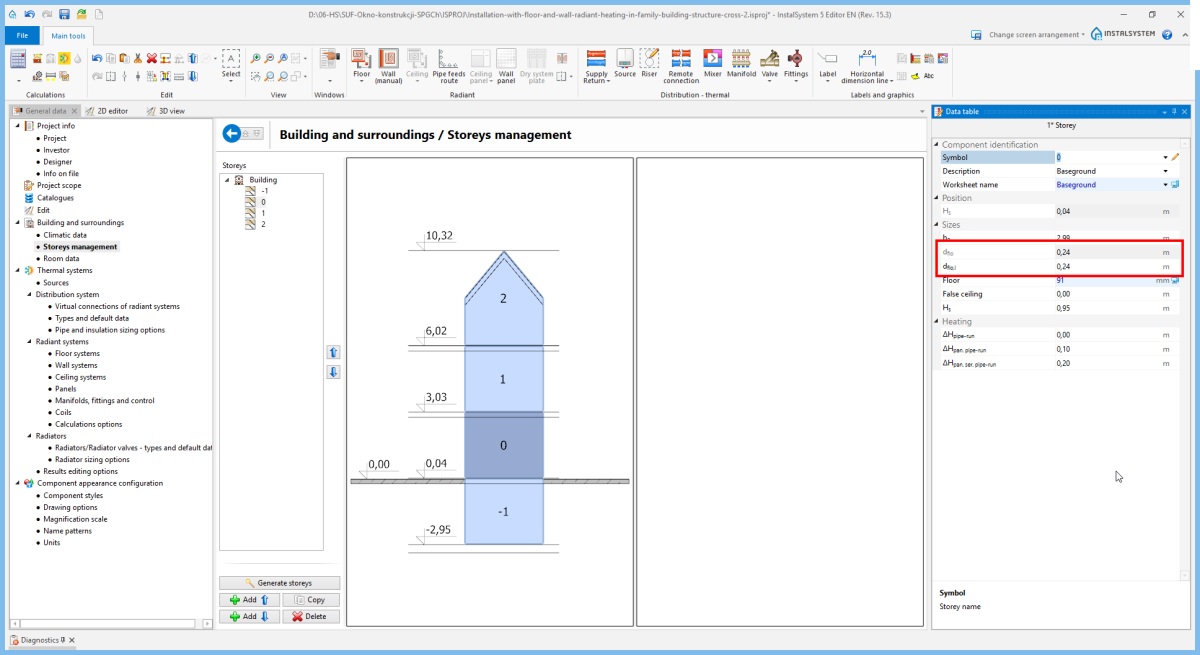
18. Slab thickness
