Import of building model from BIM compatible formats: Difference between revisions
Jump to navigation
Jump to search
| Line 18: | Line 18: | ||
==Description== | ==Description== | ||
The article describes how to import data on building structure from the following file formats: | |||
* '''IFC''', | * '''IFC''', | ||
* '''gbXML'''. | * '''gbXML'''. | ||
The following elements of building structure included in the '''IFC''' format are recognized and supported: | |||
* | * storeys, | ||
* | * vertical partitions: walls and related components - windows, doors, openings, etc., | ||
* | * horizontal partitions: roofs and related components - roof windows, | ||
* | * dormers, etc., | ||
* | * floor slabs and openings, | ||
* | * columns, | ||
* | * beams, | ||
* | * stairs. | ||
The following elements of building structure included in the '''gbXML''' format are recognized and supported: | |||
* | * storeys, | ||
* | * vertical partitions: walls and related components - windows, doors, openings, etc., | ||
* | * dormers, etc., | ||
* | * columns, | ||
* | * beams, | ||
* | * stairs. | ||
==Location in the program== | ==Location in the program== | ||
Revision as of 11:47, 12 August 2017
| Product | InstalSystem 5 |
| Type of article | FUNCTIONALITY |
| Source for translation | BETA REV. 2.0.B6 |
Description
The article describes how to import data on building structure from the following file formats:
- IFC,
- gbXML.
The following elements of building structure included in the IFC format are recognized and supported:
- storeys,
- vertical partitions: walls and related components - windows, doors, openings, etc.,
- horizontal partitions: roofs and related components - roof windows,
- dormers, etc.,
- floor slabs and openings,
- columns,
- beams,
- stairs.
The following elements of building structure included in the gbXML format are recognized and supported:
- storeys,
- vertical partitions: walls and related components - windows, doors, openings, etc.,
- dormers, etc.,
- columns,
- beams,
- stairs.
Location in the program
Przegląd i obsługa komunikatów diagnostyki
- Ikona funkcji importu modelu budynku z formatów zgodnych z BIM jest dostępna w oknie Edytor 2D na pasku Main tools w sekcji Construction przy włączonym zakresie edycji Construction.
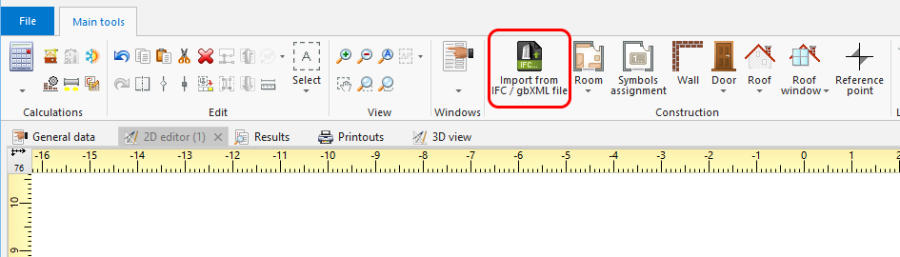
1. Import from gbXML

Example of use
Import modelu budynku z formatu IFC
- Wybrać zakres importu w oknie importu, jeśli w pliku IFC znajduje się więcej niż jeden budynek.
Import modelu budynku z formatu gbXML
- Import modelu budynku z formatu gbXML wykonuje się analogicznie do importu z formatu IFC.