BIM - Creating additional and internal storey levels
| Product | InstalSystem 5 |
| Type of article | FUNCTIONS AND TOOLS |
| Source for translation | 2024-02-12 |
Description
The article describes the way of creating a building structure with additional and internal storey levels based on the IFC model.
Location in the program
Storeys management
- Storeys management is available in the General data window in the Building and surroundings section.
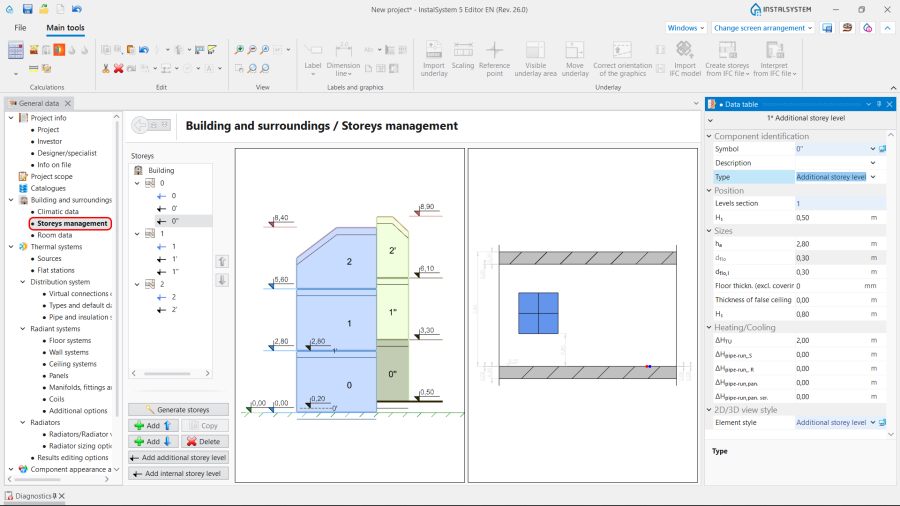
1. Storeys management.

Import underlay
- The function Import IFC model is available in the 2D editor and in the 3D view window on the Main tools bar in the Underlay section when the Underlay editing scope is enabled.
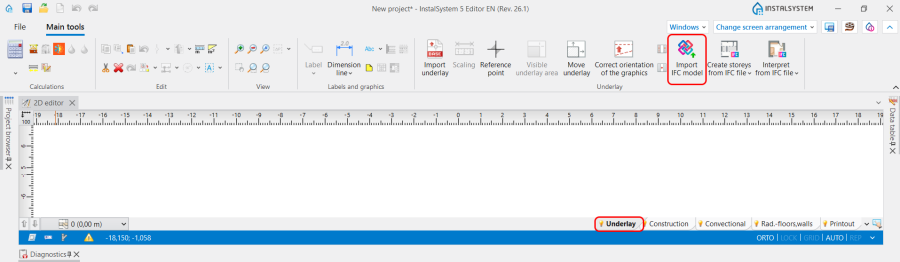
2. Underlay.

Building structure
- Icons of tools and functions related to the Creation storeys and Interpretation of structural components from the IFC file are available on the Main tools bar in the 2D editor and 3D view window on the Underlay section when the Underlay editing scope is enabled.
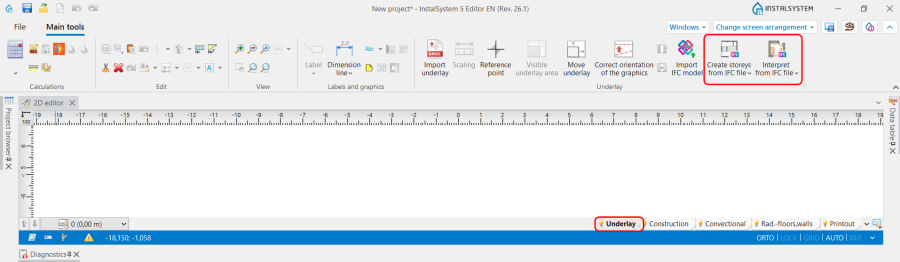
3. Building structure.

Computation of building structure
- Computation of building structure is available on the Main tools toolbar in the Calculations section.
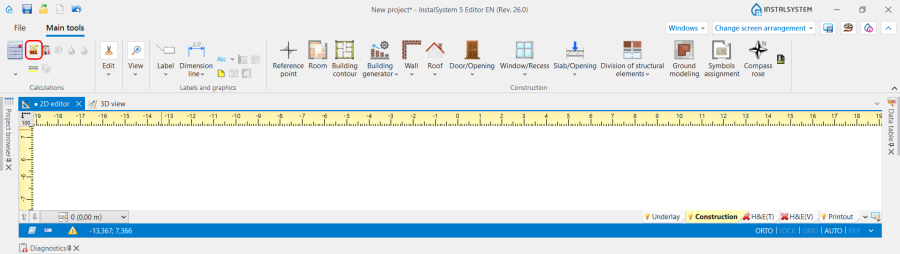
4. Computation of building structure

Examples of use
Preparation of complete building structure with additional and internal levels interpreted from the IFC model
Import IFC model
For more information, see: BIM-Import and management of IFC models in InstalSystem 5 package.
Create main storey
For more information, see: BIM - Creating storeys based on data from IFC model.
Create additional and internal storey levels
There are several paths to create additional and internal storey levels:
- Choose the Slab and the Roof that define the elevation of the additional level and select the function Create an additional storey level between the selected slabs/roofs from the IFC file;
- If the above method is not entirely suitable the additional and internal levels can be added manually in the Storeys management window based on the data of IfcSlab and IfcRoof taken from the Data table.
For more information, see: Create additional and internal storey levels. - After interpreting an IfcSlab element for the main storeys that does not match existing levels elevations, create an internal level based on the storey ordinate with the command Create internal storey level from the right click menu.
Interpret structural components
Make the interpretation of other structural components of the IFC model.
For more information, see: Interpretation of IFC elements into building structure elements.
Additional information
To simplify the handling of multiple storey levels, the function Storey levels visibility can be used. The elevations are taken from the data defined in the Storeys management window.
Executing the IFC export
By default the program does not separate additional and internal levels during exporting. The levels are exported on the same sheet together with the corresponding main storey.
| If you have any comments on this article, please send us a short message at info@instalsoft.com. |
|---|